
Lesson Plan
Media Literacy and Democracy: Evaluating Information in a Digital Age
Essential Question:
How does media literacy help people participate responsibly in civic life?
Media Literacy Vs. Digital Citizenship
Media literacy and digital citizenship are closely related, but they are not the same skill. Media literacy focuses on how people access, analyze, evaluate, create, and share messages. It teaches students to ask questions about authorship, evidence, bias, purpose, credibility, and missing context before accepting or spreading information. Digital citizenship focuses more broadly on how people behave responsibly, safely, and respectfully in digital spaces. It includes topics such as online privacy, cyberbullying, digital footprints, communication, copyright, and ethical technology use. In simple terms, media literacy helps students decide what information to trust, while digital citizenship helps students decide how to act responsibly online. Both are essential because students are not only consumers of information; they are also participants in digital communities.
This series of lessons focuses on media literacy.
Lesson Overview
Students will examine media literacy as a civic skill. They will analyze news, social media, images, opinion writing, political messaging, advertisements, and online sources. Students will learn how information ecosystems shape public understanding and will complete a final project evaluating how one public issue is presented across different media sources.
Some activities are designed with flexibility so they can be used as either individual or group assignments, depending on the needs and abilities of the students. Many of the skills introduced throughout the module will be practiced collaboratively, with individual understanding assessed through exit tickets and the final media literacy project.
Grade Level: High School
Length: 7 days with 50-minute class periods
Standards:
L9-10RHSS1: Cite specific textual evidence to support analysis of primary and secondary sources, attending to such features as the date and origin of the information
L9-10RHSS5: Analyze how a text uses structure to emphasize key points or advance an explanation or analysis.
L9-10RHSS6: Compare the point of view of two or more authors for how they treat the same or similar topics, including which details they include and emphasize in their respective accounts.
L11-12RHSS8: Evaluate an author’s premises, claims, and evidence by corroborating or challenging them with other information.
Students will be able to:
- Define media literacy as a civic, academic, and digital skill.
- Analyze how media messages are constructed for specific audiences and purposes.
- Distinguish among fact, opinion, analysis, propaganda, misinformation, and disinformation.
- Evaluate credibility using authorship, evidence, sourcing, context, and corroboration.
- Identify bias, framing, emotional appeal, loaded language, and selective evidence.
- Explain how algorithms, social media, and attention-based platforms shape what people see.
- Develop responsible habits for consuming, creating, and sharing information.
Google Presentations
Throughout this guide, there are links to Google Slides that relate to the individual sections. The backgrounds for these slides have been kept white to help reduce distractions. Teachers can make copies of the slideshows and edit them to meet the needs of their classrooms.
Teaching notes have been included in the presentation to aid in the delivery of that content.
Key Vocabulary

Media Literacy: The ability to access, analyze, evaluate, create, and responsibly share media messages.
Information Ecosystem: The network of sources, platforms, creators, audiences, algorithms, and institutions that shape how information spreads.
Credibility: The degree to which a source is trustworthy and supported by evidence.
Corroboration: The process of comparing multiple sources to confirm information.
Bias: A preference, perspective, or leaning that influences presentation.
Framing: The way information is presented to shape interpretation.
Loaded Language: Words designed to create a strong emotional response.
Misinformation: False or inaccurate information shared without necessarily intending harm.
Disinformation: False information intentionally created or shared to mislead.
Propaganda: Information designed to influence beliefs or behavior, often by using emotional appeal, selective facts, or misleading claims.
Algorithm: A set of rules used by digital platforms to decide what content users see.
Lateral Reading: Leaving a source to investigate what other reliable sources say about it.
Day 1: What Is Media Literacy and Why Does It Matter?
(40 minutes total)
Introduction
Open slide titled “Decoding the Feed: Key Terms for Understanding Media:
The first 7 slides offer high level overviews of the terms and topics you will be discussing in this program.
Hook: Discussion
(5 minutes)
Click to slide titled “Discussion Question”
Ask students:
Is being informed the same thing as being media literate? Why or why not?
| Possible Student Response | Teacher Follow-Up / Model Answer |
| “Yes, because if you know what is going on, you are informed.” | That is partly true. Being informed means you have information, but media literacy means you know how to question and evaluate that information. Knowing something is only the first step. |
| “No, because you can know a lot of things but still believe false information.” | Exactly. A person can read many posts, watch many videos, or follow the news every day and still accept weak claims if they do not check sources, evidence, and context. |
| “Being informed means knowing facts. Media literacy means knowing if those facts are true.” | Strong answer. Media literacy helps us decide whether information is accurate, supported by evidence, and trustworthy. |
| “Media literacy is about not believing everything online.” | Good start. It is not about distrusting everything; it is about asking better questions before believing or sharing something. |
| “If a source looks professional, then it is probably reliable.” | That is a common assumption, but appearance alone is not enough. A polished website or video can still be misleading. We need to check authorship, evidence, date, purpose, and whether other reliable sources confirm it. |
| “Media literacy means checking who made something and why.” | Yes. One important part of media literacy is asking who created the message, what their purpose might be, and what they want the audience to think, feel, or do. |
Direct Instruction: What is Media Literacy?
(15 minutes)
Click to slide titled “Media Literacy: Five Key Skills”
Explain that media literacy is not about distrusting everything. It is about knowing how to ask better questions.
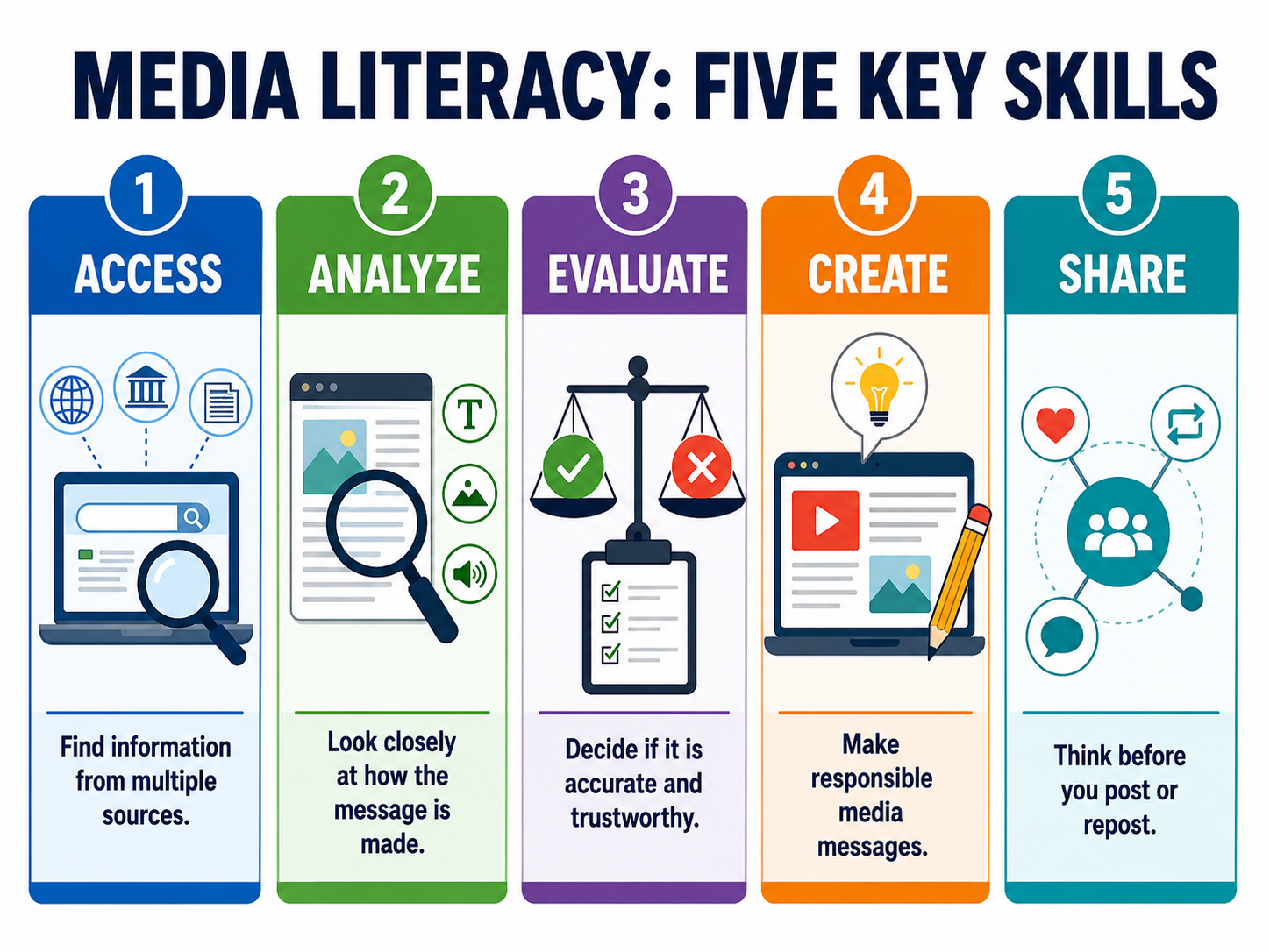
Media literacy includes:
- Accessing information Finding relevant information from multiple sources.
- Analyzing messages Studying how language, images, structure, and tone shape meaning.
- Evaluating credibility Judging whether claims are supported by evidence.
- Recognizing influence Understanding how media can persuade, inform, entertain, or manipulate.
- Creating responsibly Producing accurate and ethical media.
- Sharing responsibly Understanding the consequences of spreading information.
Guided Practice
(15 minutes)

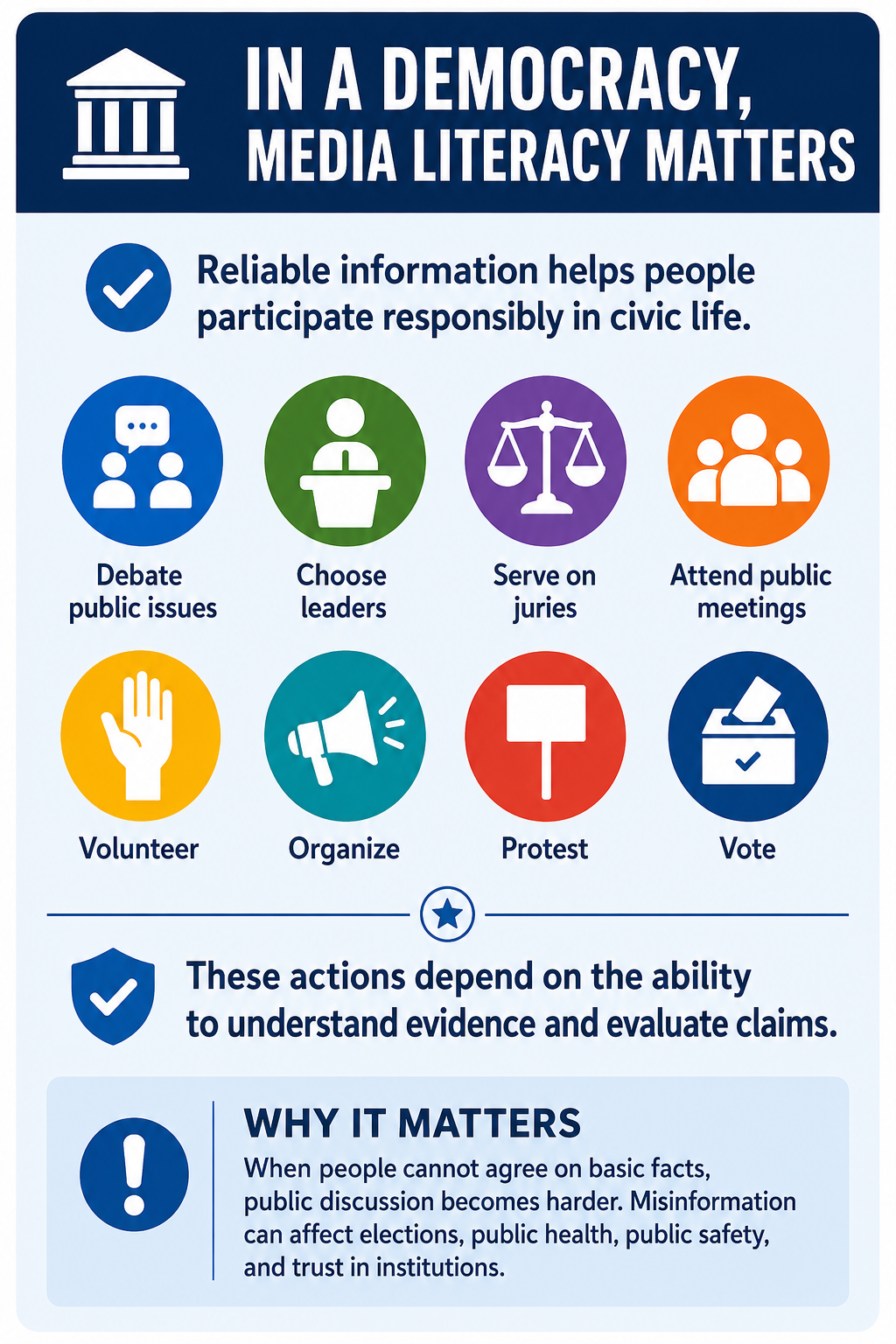
Click to slide titled “In a Democracy, Media Literacy Matters”
Ask students:
- Why does media literacy matter in a democracy?
- What happens when citizens cannot agree on basic facts?
- How can misinformation affect elections, public health, public safety, or trust in institutions?
- Why might people share inaccurate information even when they do not mean to mislead others?
Group or Independent Activity: Media Autobiography
(15 minutes)
Click to slide “Practice: Media Autobiography”
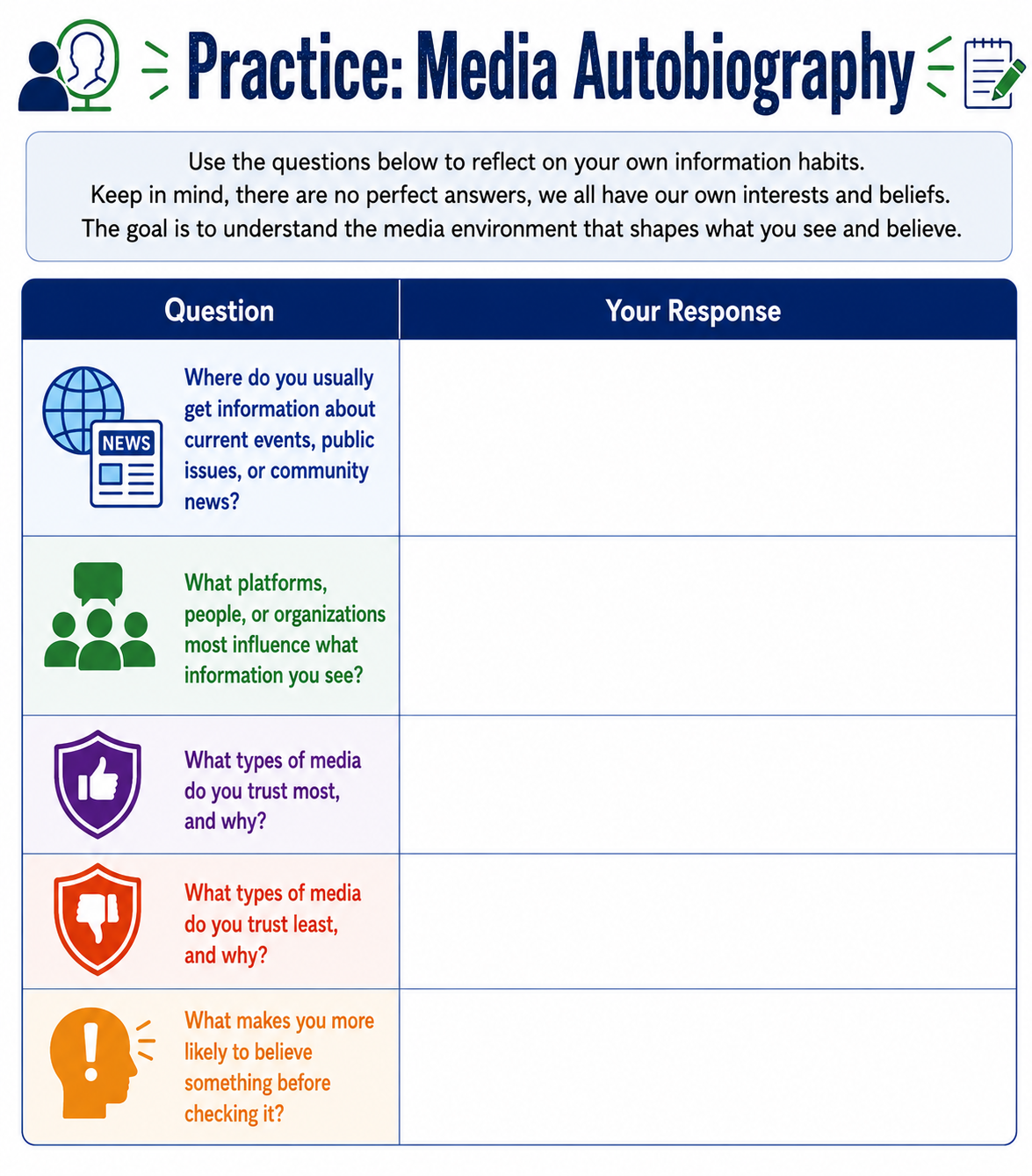 Students create a short reflection answering:
- Where do I usually get information?
- What platforms influence what I see?
- What types of media do I trust most?
- What types do I trust least?
- How often do I check information before sharing it?
- What makes me more likely to believe something?
Skill Check: Exit Ticket
(2 minutes)
Students answer:
One media habit I should strengthen is __________________________.
Day 2: Source Credibility and Lateral Reading
(40 minutes total)
Introduction / Hook: Credibility
(5 minutes)
Open to slide titled “Discussion Question”
Ask students:
What is the difference between reading a source and investigating a source?
| Possible Student Response | Teacher Follow-Up / Model Answer |
| “Reading a source means looking at what it says. Investigating a source means checking if it is trustworthy.” | Exactly. Reading focuses on the message. Investigating focuses on whether the message deserves your trust. |
| “When you read a source, you stay on the page. When you investigate it, you look at other sources too.” | Strong answer. That is the idea behind lateral reading. Instead of only trusting what a source says about itself, you check what other reliable sources say about the author, organization, or claim. |
| “Reading is understanding the information. Investigating is checking who made it and why.” | Yes. A responsible reader asks who created the source, what their purpose might be, and whether they have knowledge or authority on the topic. |
| “Reading tells you the claim. Investigating helps you decide if the claim is supported by evidence.” | Good distinction. A claim is not enough by itself. We need to look for evidence, dates, sources, links, data, expert statements, or original documents. |
| “Reading is quicker. Investigating takes more time because you have to check if it is true.” | Mostly right. Investigating can take more time, but it does not always have to be long. Even a quick pause to check the author, date, evidence, and another reliable source can prevent mistakes. |
A strong student answer might be:
Reading a source means understanding what the source says. Investigating a source means checking whether the source is reliable by looking at who created it, when it was made, what evidence it uses, and whether other trustworthy sources confirm the information.
Teacher wrap-up:
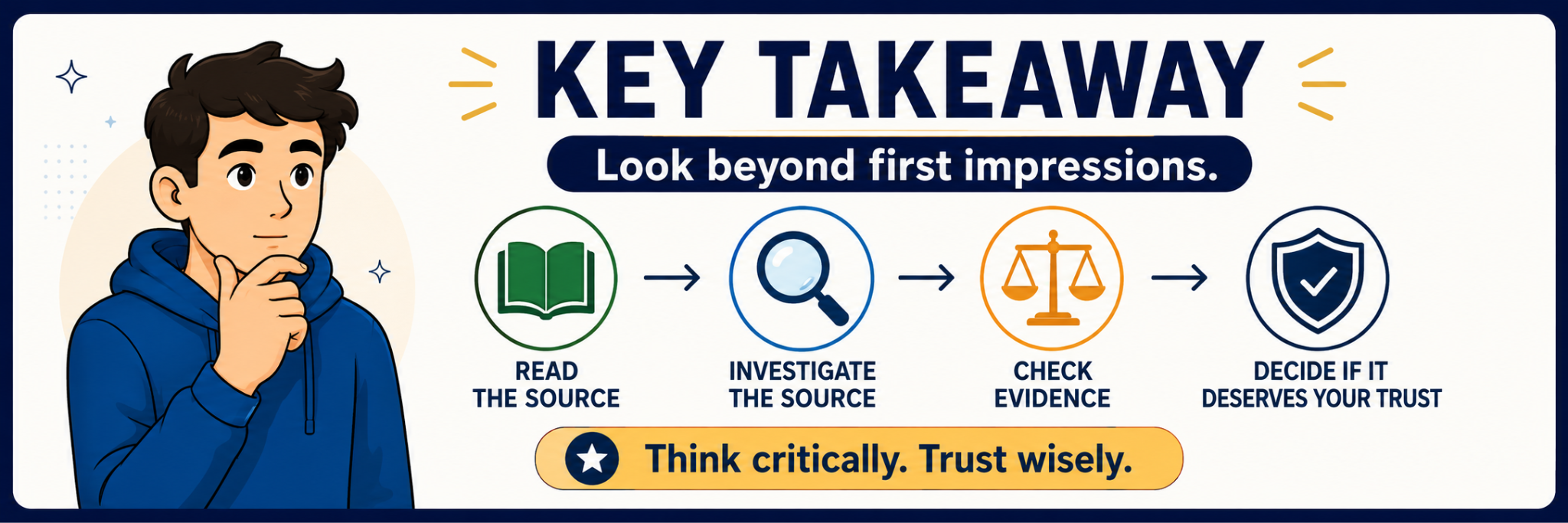
Reading asks, “What does this source say?” Investigating asks, “Should I trust it?” Both matter, but investigation is what helps us avoid being fooled by professional-looking, emotional, or incomplete information.
Direct Instruction: Lateral Reading
(15 minutes)
Click to slide titled “Why Lateral Reading Matters”
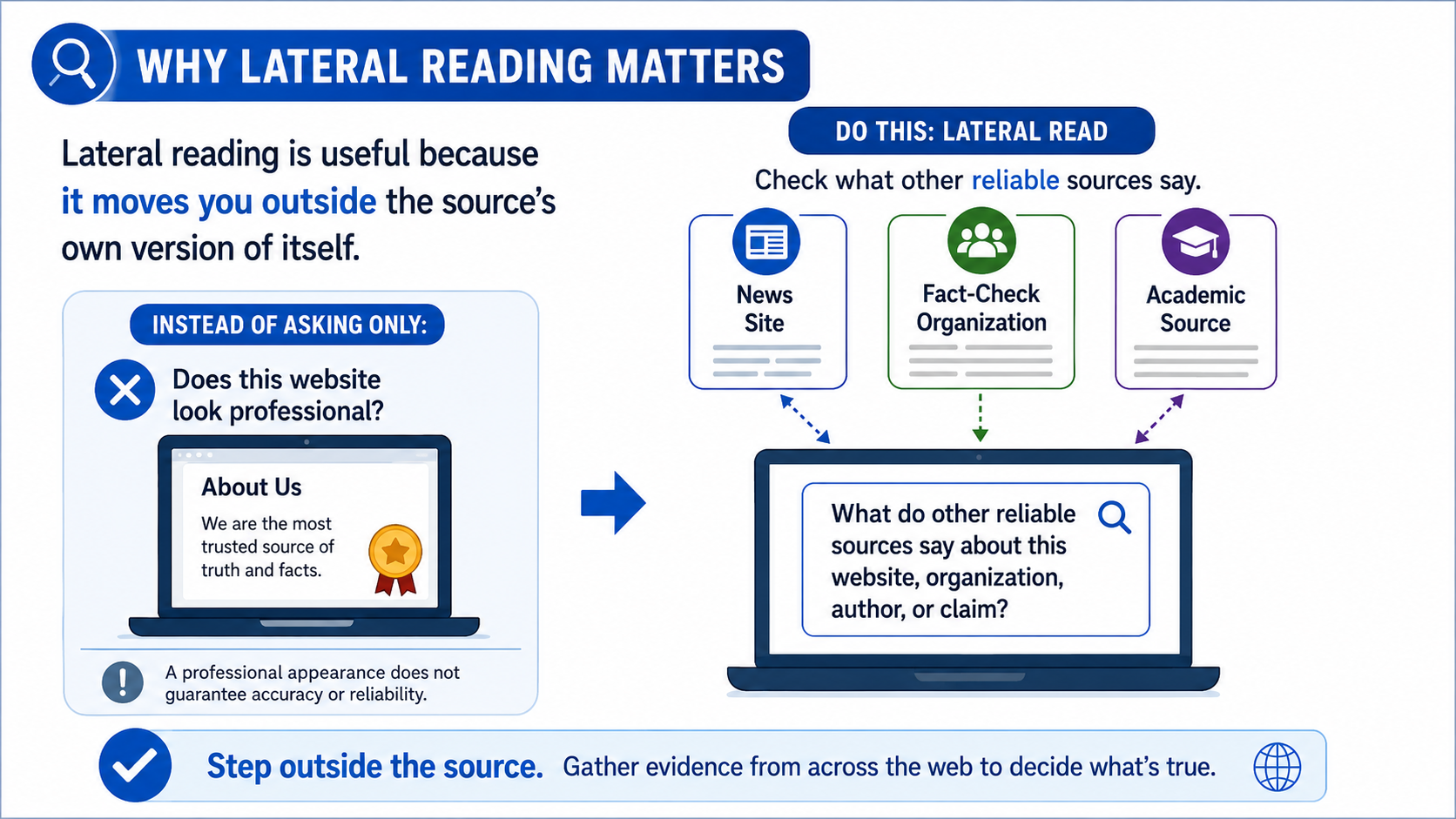
Many students evaluate a website by staying on the site itself. Strong fact-checkers often use lateral reading, which means opening new tabs and checking what other reliable sources say about the source, author, organization, or claim.
Click to slide titled “How to Investigate a Source”
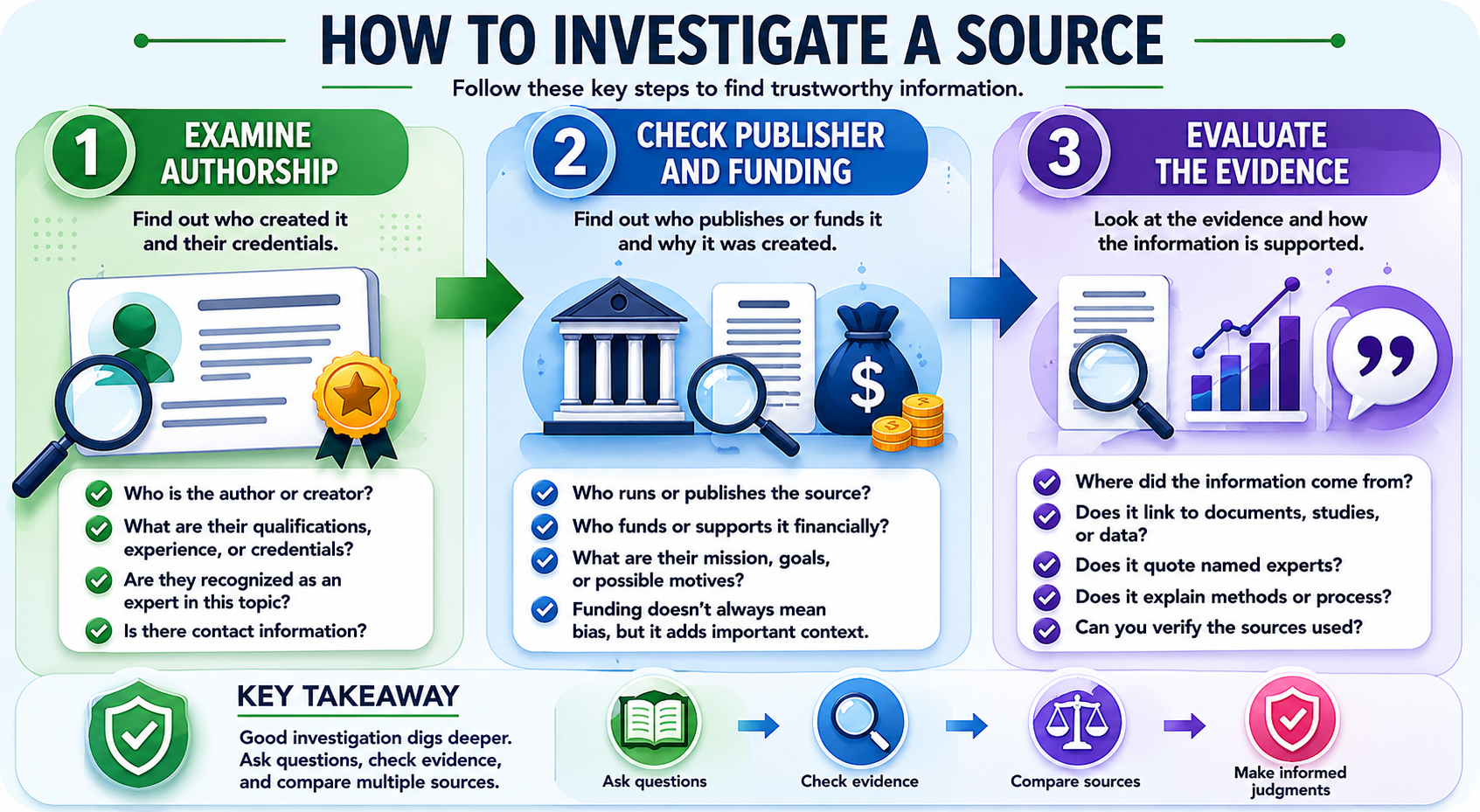
Students should investigate:
- Who created the source?
- What expertise or authority do they have?
- Who funds or publishes the source?
- What evidence is used?
- Are sources named and linked?
- What do other credible sources say?
- Is the original evidence available?
- Has the claim been taken out of context?
Click to slide titled “Key Takeaway”
Group or Independent Activity: Source Investigation (15 minutes)
Click to slide titled “CivicWatch Daily”
Give students a source related to a public issue, historical event, scientific claim, or civic question. Students complete a credibility investigation.
| Question | Notes |
| Who created this source? | |
| What type of source is it? | |
| What is its main claim? | |
| What evidence does it use? | |
| Are sources cited or linked? | |
| What do other sources say about this claim? | |
| What might the creator want the audience to think or do? | |
| How reliable is this source overall? |
After investigating the web page -
Students should classify the source as one of the following and explain their reasoning:
- Highly reliable
- Mostly reliable but limited
- Useful for opinion or perspective, not facts alone
- Questionable
- Unreliable
Skill Review: Exit Ticket
(2 minutes)
Students answer:
Lateral reading is useful because __________________________.
Introduction / Hook: Bias?
(10 minutes)
Open to slide titled “Description A / Description B”
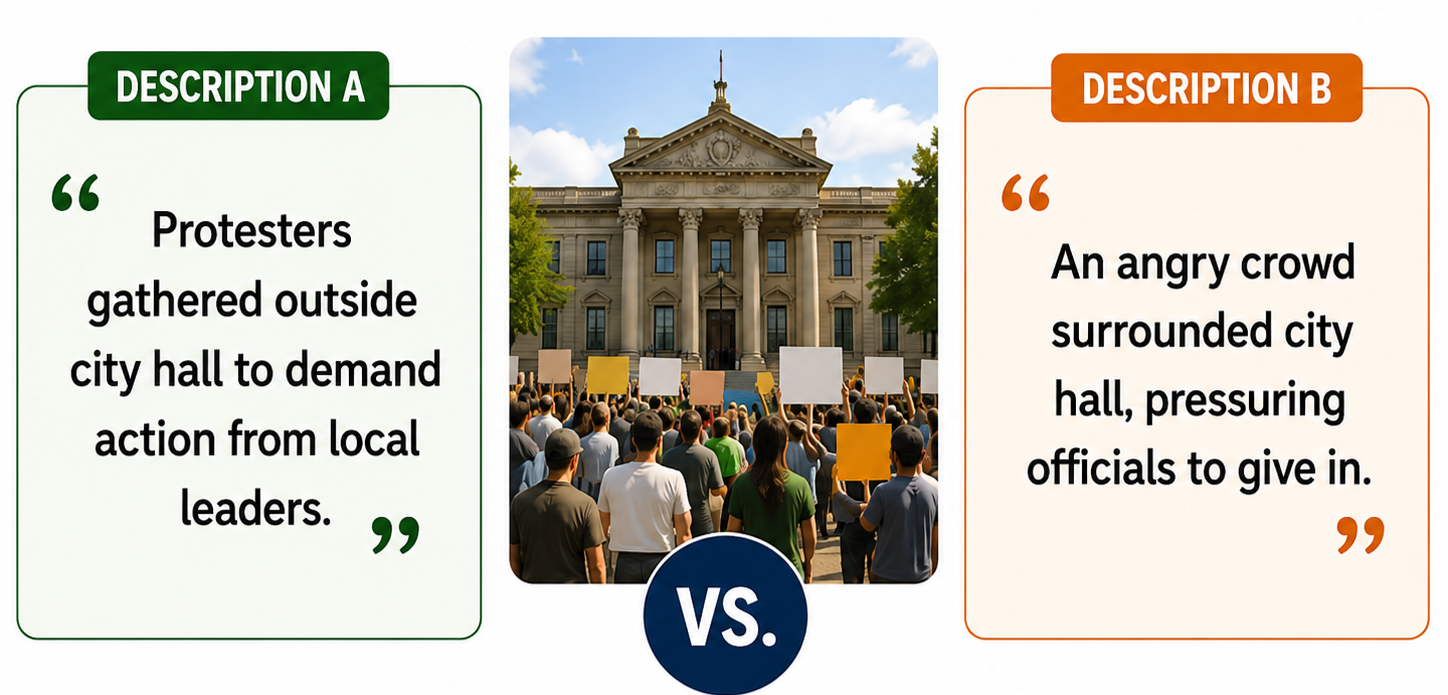
Show or read two descriptions of the same event.
Example:
Version A:
“Protesters gathered outside city hall to demand action from local leaders.”
Version B:
“An angry crowd surrounded city hall, pressuring officials to give in.”
Ask students:
- What changed?
- What words shaped your reaction?
- Which version sounds more neutral?
- What facts would you need to know?
Click to slide titled “Two Descriptions, Same Event, Different Impression.”
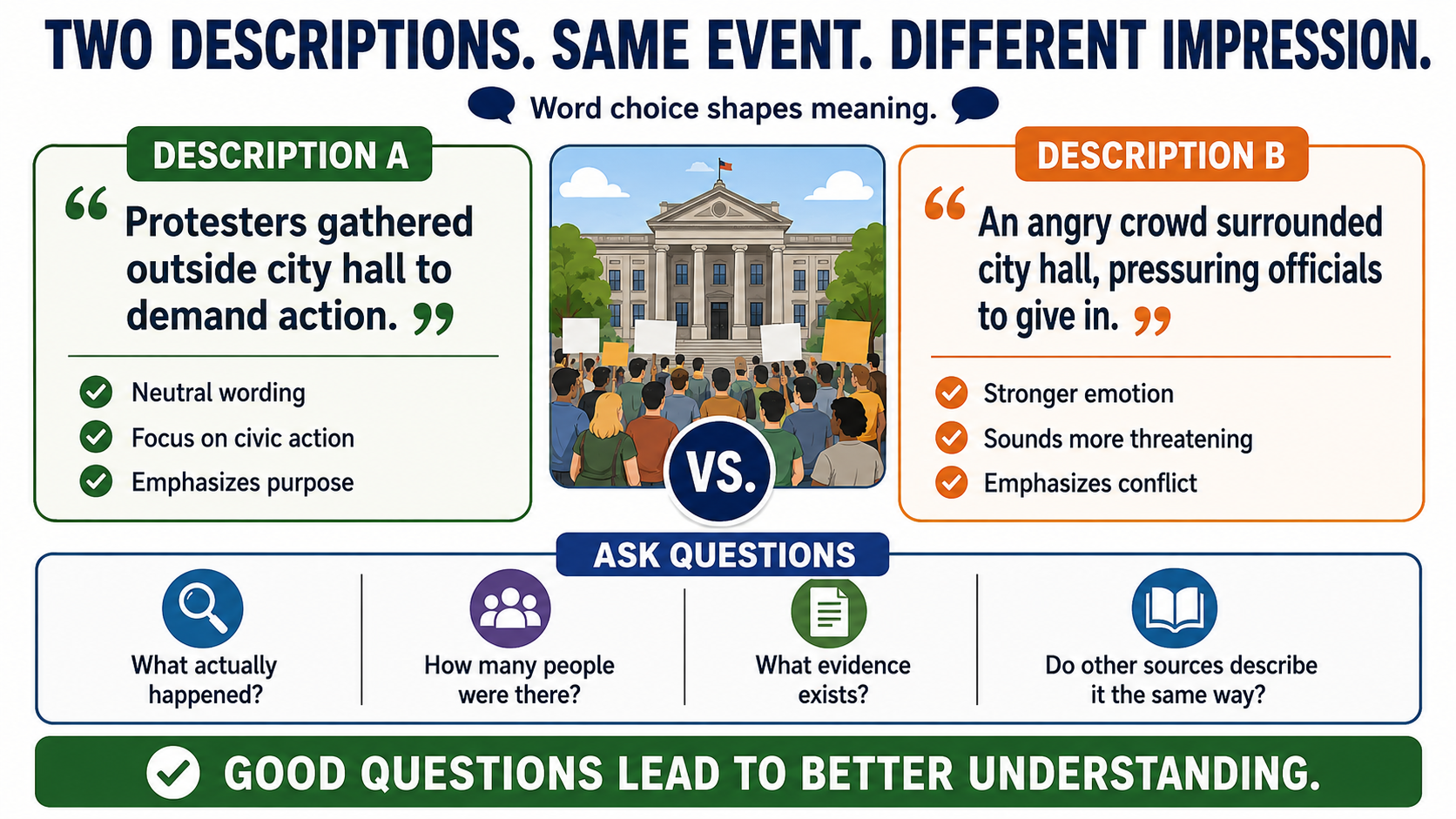
Direct Instruction:
(10 minutes)
Click to slide titled “Understanding Bias”
Bias can appear through:
- Word choice
- Story selection
- What is emphasized
- What is left out
- Image choice
- Source selection
- Placement and headline
- Tone
Click to slide titled “Framing: The Lens that Shapes Meaning”
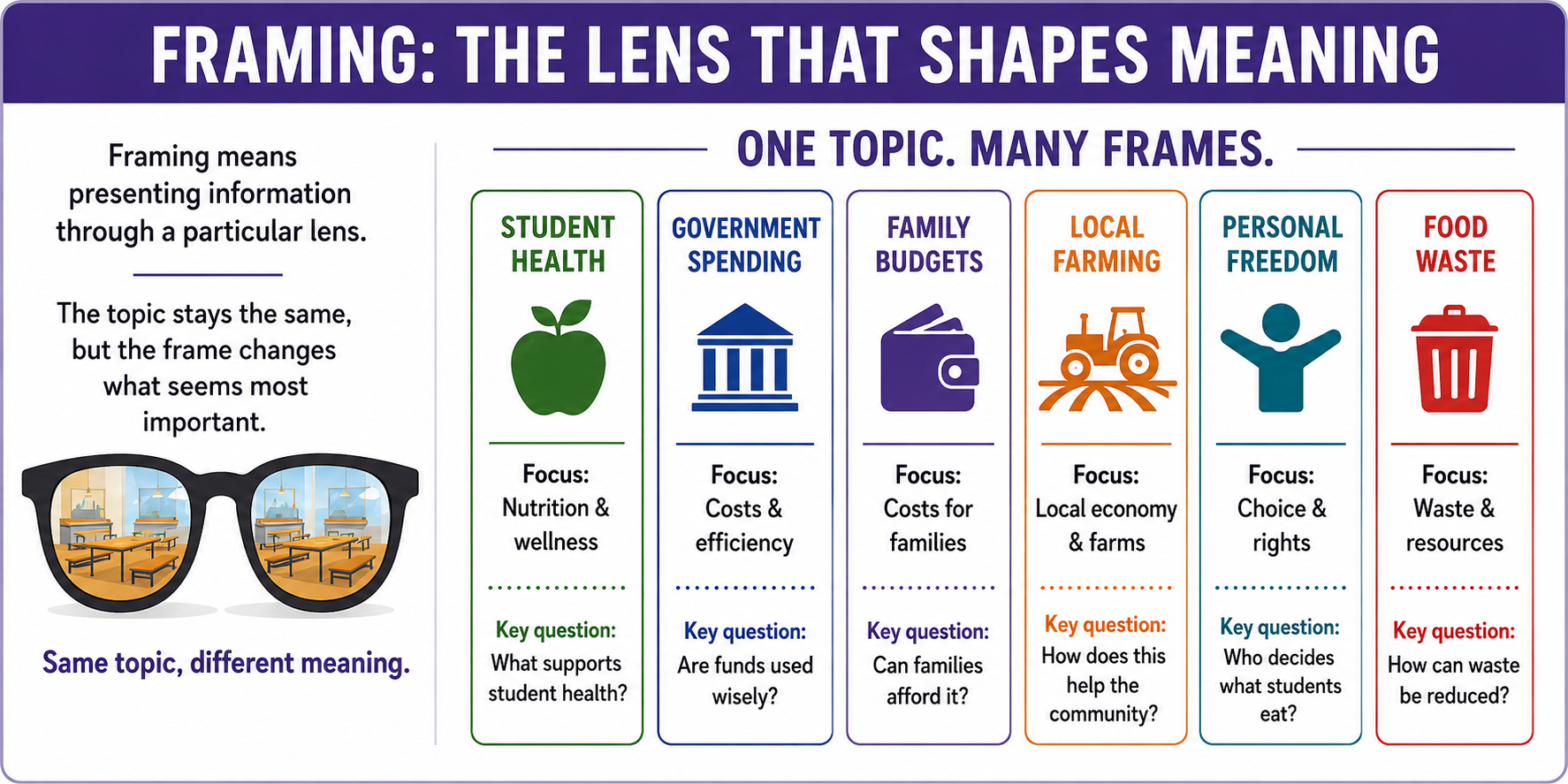
Framing shapes how people understand an issue. For example, a story about school lunches could be framed around student health, government spending, family budgets, local farming, or personal freedom. Same cafeteria. Different menu of meaning.
Group or Independent Activity: Framing Analysis (15 minutes)
Open to slide titled “Compare these Sources”
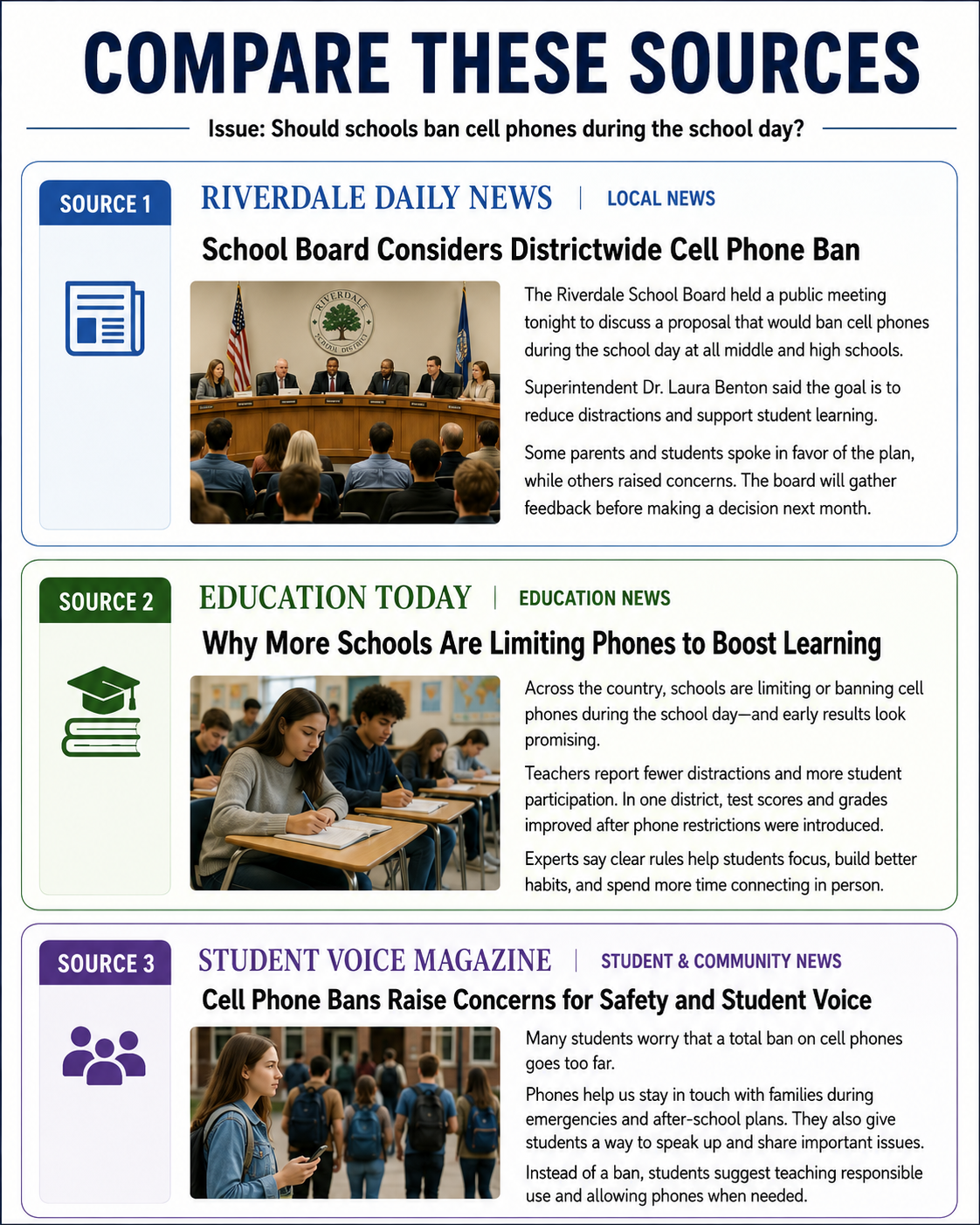
Students compare two or three sources covering the same issue.
They complete:
| Source | Main Claim | Tone | Evidence Used | Words That Shape Meaning | What is Missing? |
| 1 | |||||
| 2 | |||||
| 3 |
Post Investigation Discussion
(10 minutes)
Ask students:
- Did the sources use the same facts?
- Did they emphasize different parts of the story?
- Did any source rely mostly on emotion?
- Did any source leave out important context?
- Which source was most balanced? Why?
Skill Review: Exit Ticket
(2 minutes)
Students answer:
Bias can affect a media message by __________________________.
Day 4: Misinformation, Disinformation, and Online Sharing
(40 minutes total)
Introduction / Hook: Fake News?
(5 minutes)
Open to slide titled “Discussion Question”
Ask students:
Why do false claims spread quickly online?
| Possible Student Answer | Teacher Reply / Follow-Up |
| “False claims spread because they make people angry or scared.” | Exactly. Strong emotions can make people react quickly before they stop to check whether the information is true. Anger and fear are like rocket fuel for bad information. |
| “People share them because they seem surprising or shocking.” | Good point. Surprising claims grab attention. When something sounds unbelievable, that is actually a reason to slow down, not a reason to share it faster. |
| “They spread because people believe things that match what they already think.” | Yes. That is called confirmation bias. If a claim fits what someone already believes, they may accept it more easily, even if the evidence is weak. |
| “People do not always check before reposting.” | Right. Sharing feels quick and harmless, but it can help false information travel. A responsible media user pauses and asks, “How do I know this is true?” |
| “Algorithms push posts that get likes, comments, and shares.” | Strong answer. Many platforms reward engagement, not necessarily accuracy. A post that makes people argue or react may spread widely even if it is misleading. |
Open to slide titled “Why False Claims Spread Online”
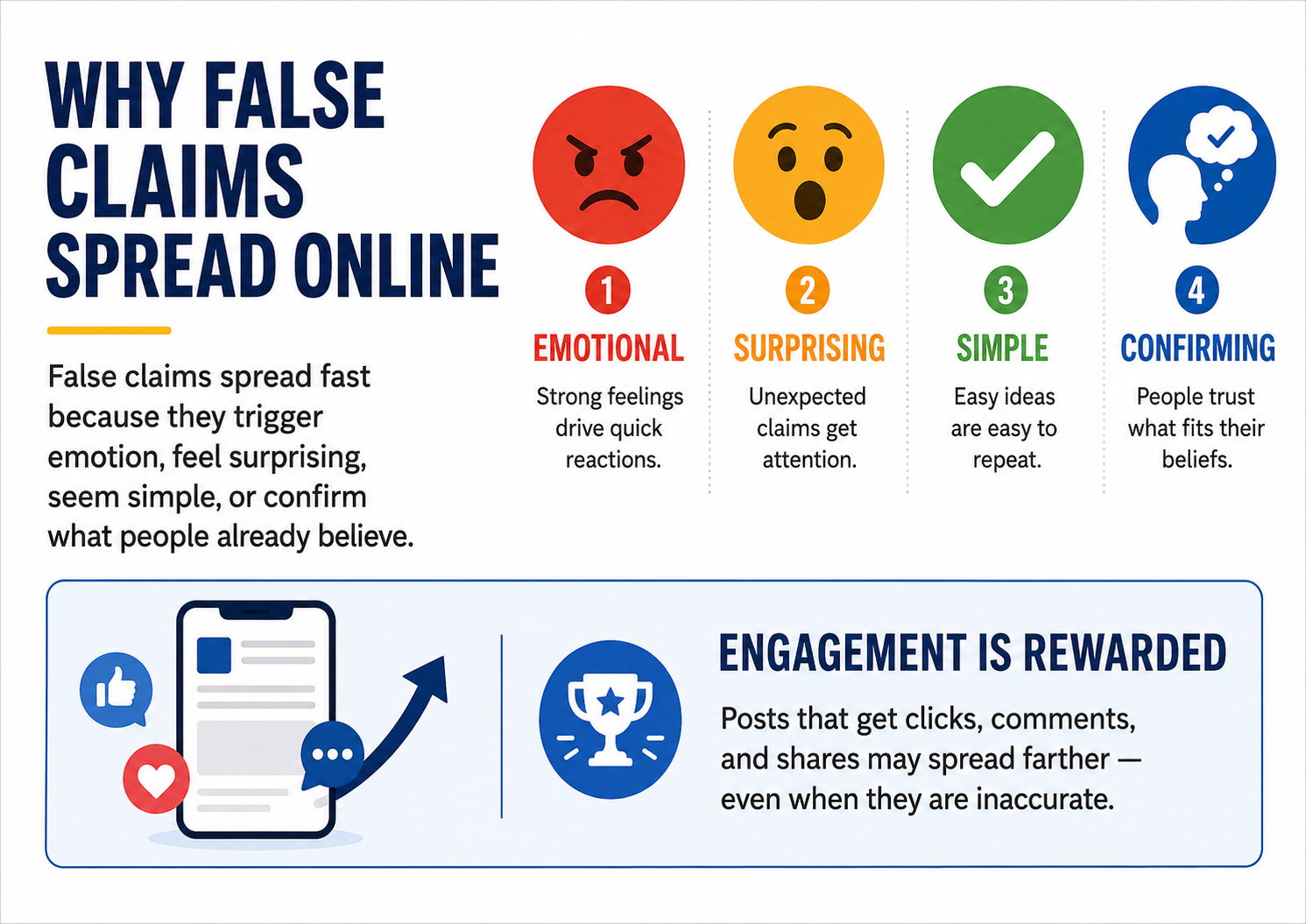
Possible answers:
- They are emotional.
- They are surprising.
- They confirm what people already believe.
- People share before checking.
- Algorithms reward engagement.
- Headlines are often designed for clicks.
Direct Instruction
(15 minutes)
Click to slide “Misinformation Vs. Disinformation”
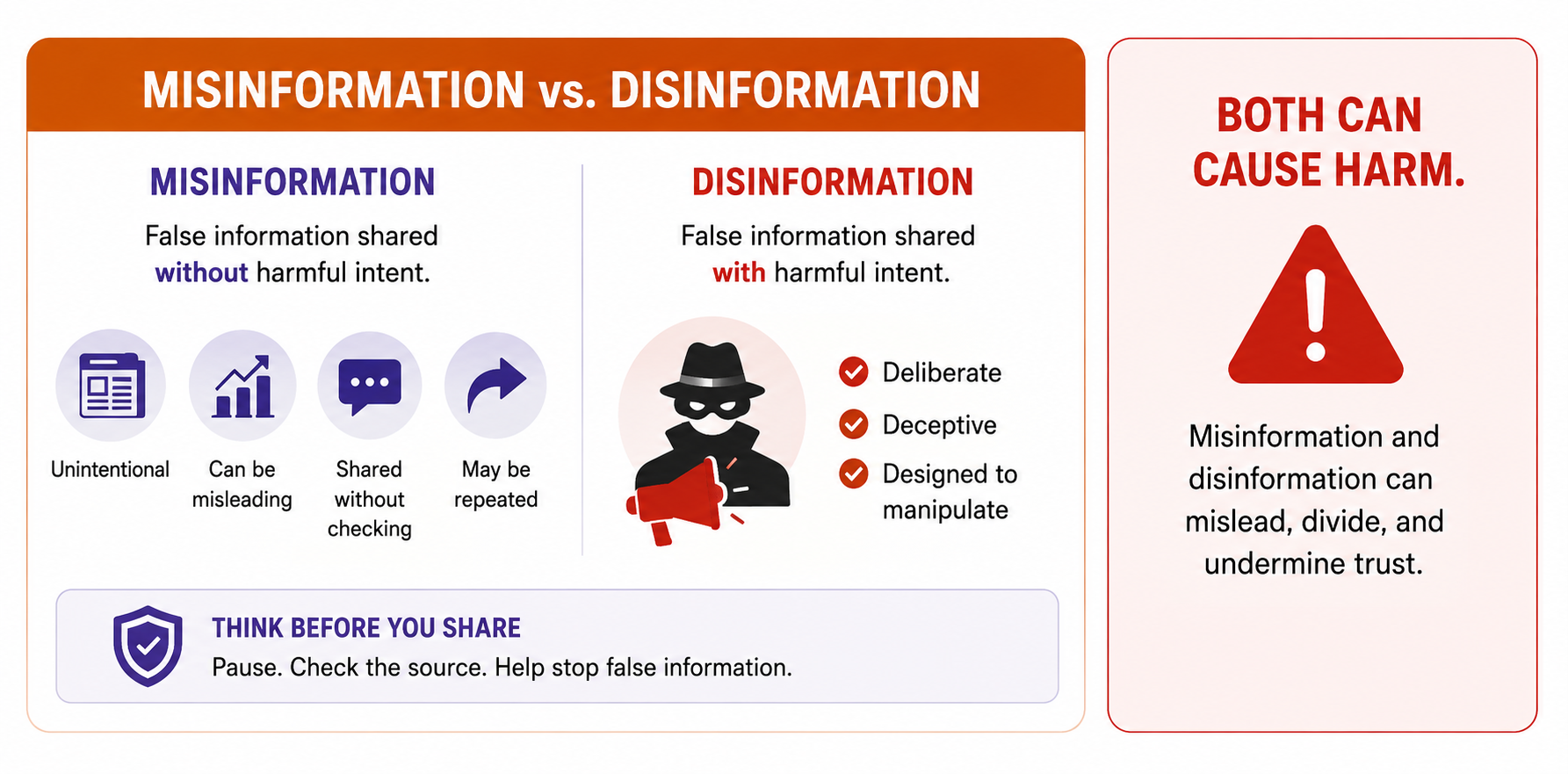
Explain the difference:
Misinformation is wrong information shared by mistake.
Disinformation is wrong information shared on purpose.
Both can cause harm, even when the person sharing did not intend harm.
Click to slide titled “Common Warning Signs: The Needs Checking”
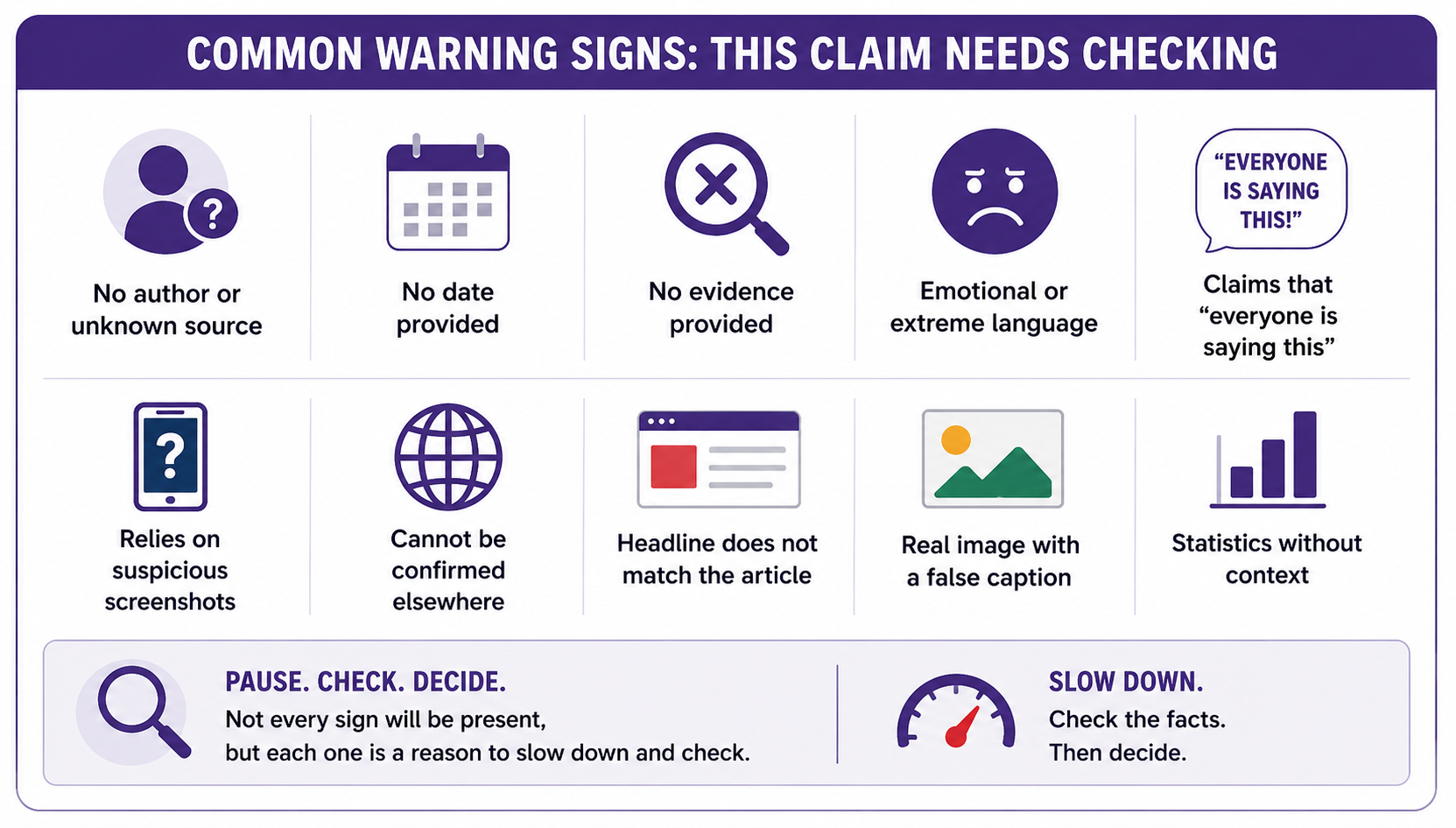
Common warning signs include:
- No author or unknown source
- No date
- No evidence
- Emotional or extreme language
- “Everyone is hiding this” claims
- Poor-quality images or suspicious screenshots
- Claims that cannot be confirmed elsewhere
- A headline that does not match the article
- A real image used with a false caption
- Statistics without context
Click to slide titled “Responsible Sharing: Pause before you post”
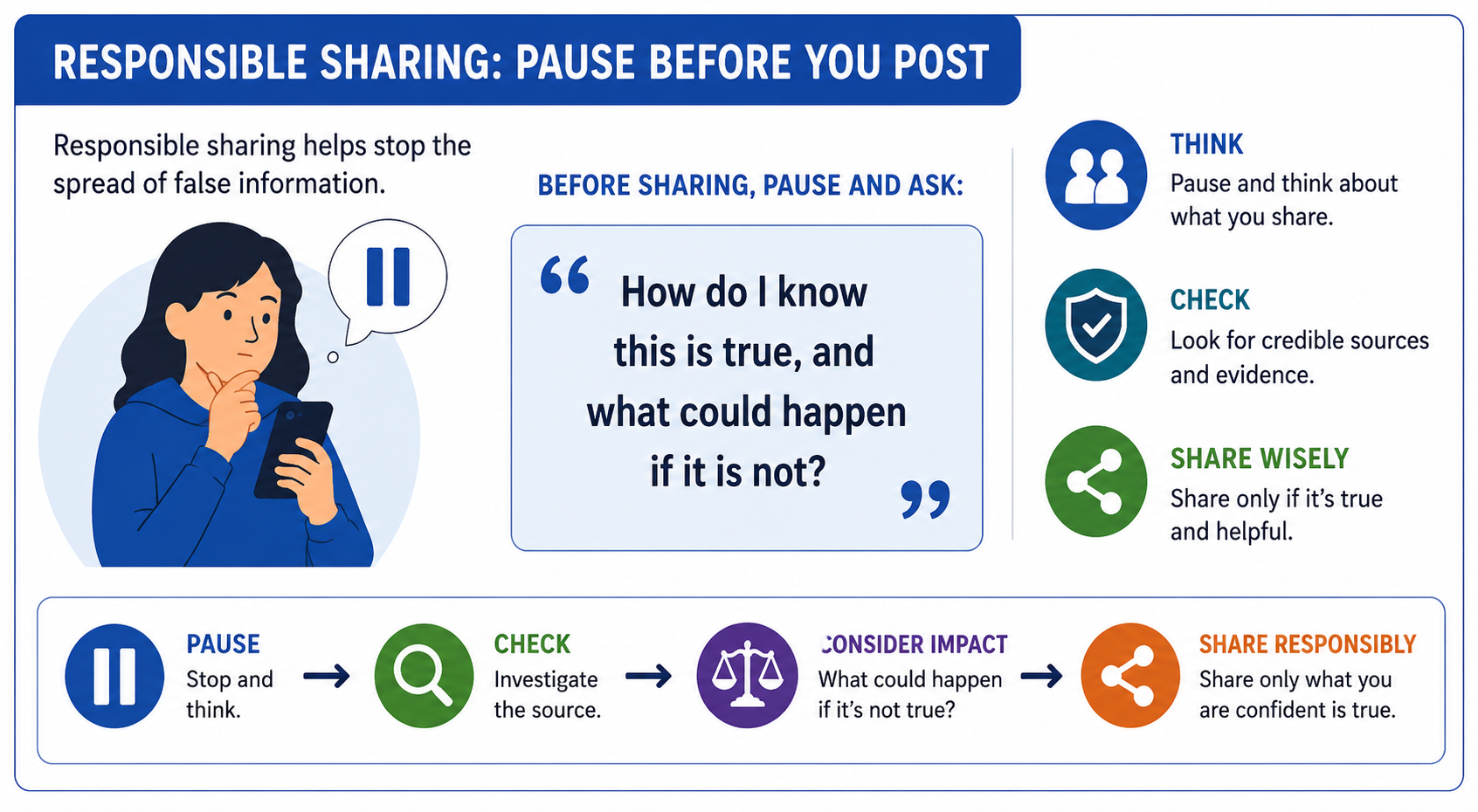
Group or Independent Activity: Claim Check
(15 minutes)
Open to slide titled “Investigate These Claims”
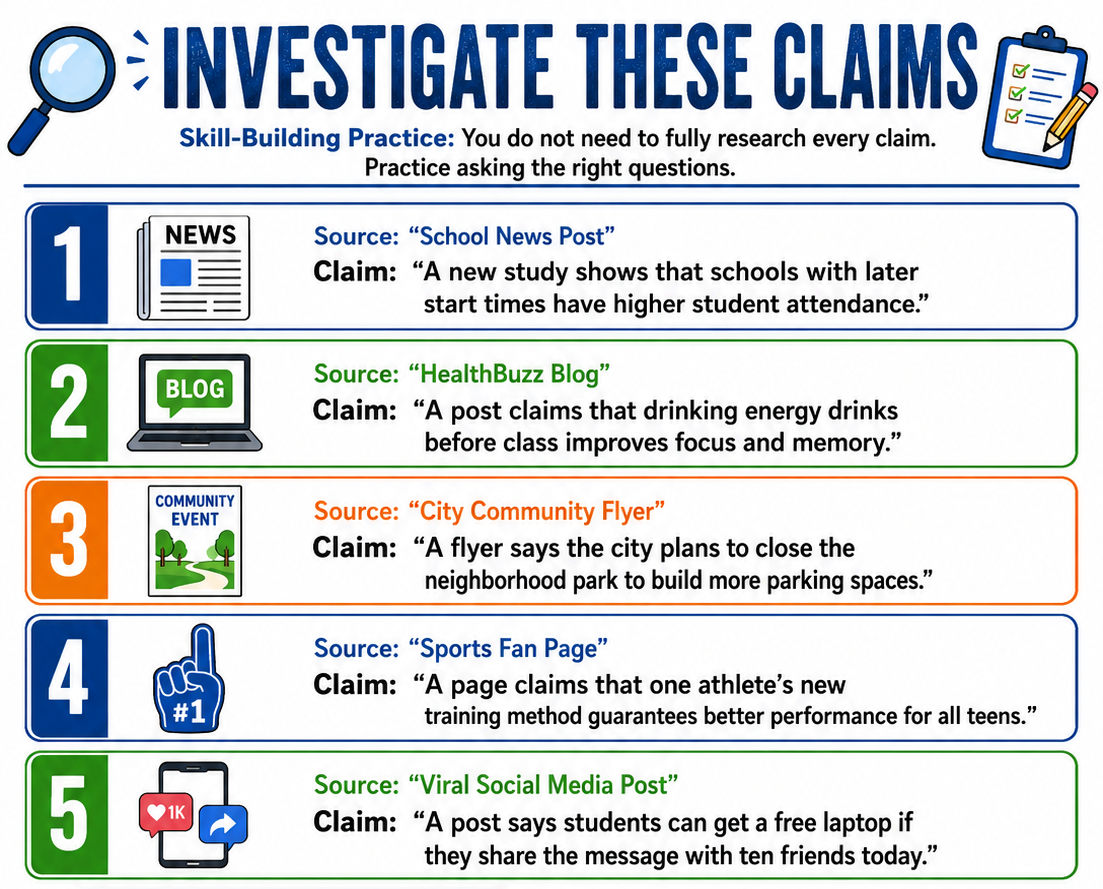
Give students several sample claims. They do not need to research all of them deeply; this is a skill-building exercise.
For each claim, students answer:
- What is the claim?
- Who is making it?
- What evidence is provided?
- What emotion does it create?
- What would I search to verify it?
- What source would I trust to confirm or challenge it?
- Should this be believed, questioned, or rejected for now?
Post Investigation Discussion
(2 minutes)
Teach students:
Before sharing, pause and ask yourself: “How do I know this is true, and what could happen if it is not?”
Skill Review: Exit Ticket
(2 minutes)
Students answer:
One warning sign of misinformation is __________________________.
Day 5: Algorithms, Attention, and the Information Bubble
(50 minutes)
Introduction / Hook: Algorithms
(5 minutes)
Open slide titled “Discussion Question”
Ask students:
Why do two people using the same app sometimes see completely different information?
| Possible Student Answer | Teacher Reply / Follow-Up |
| “Because the app tracks what each person likes or watches.” | Yes. Platforms often use past behavior, such as likes, clicks, searches, watch time, and shares, to decide what to show next. The app is basically saying, “You touched the hot stove of content, so here are twelve more stoves.” |
| “Because people follow different accounts.” | Exactly. If two people follow different creators, news pages, friends, or organizations, their feeds will look very different even on the same app. Who you follow helps shape what information reaches you. |
| “Because algorithms show people what they think they want to see.” | Strong answer. Algorithms are designed to predict what will keep users interested. That can be helpful, but it can also limit what people see by showing more of the same kinds of content. |
| “Because one person clicks on dramatic posts and another person does not.” | Right. If someone often clicks emotional or dramatic headlines, the platform may show them more dramatic content. Engagement teaches the algorithm what gets attention. |
| “Because apps compare users to other people like them.” | Good thinking. Some platforms may recommend content based on what similar users watch, like, or share. So your feed can be shaped not only by your choices, but also by patterns from other users. |
Direct Instruction
(15 minutes)
Open slide titled “Algorithms Shape What we See”
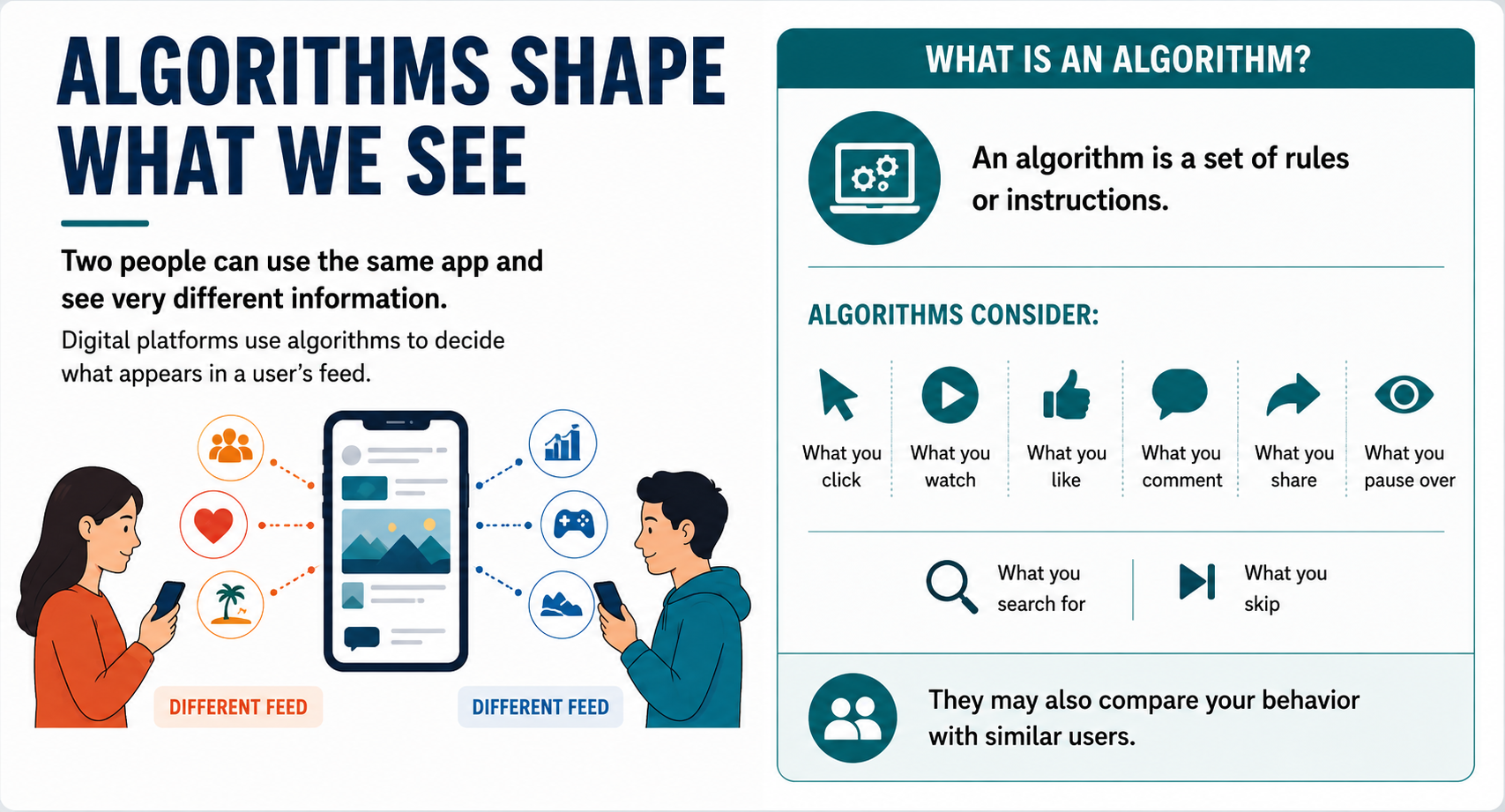
Digital platforms often use algorithms to decide what appears in a user’s feed. These systems may consider:
- What you click
- What you watch
- What you like
- What you comment on
- What you share
- How long you pause on content
- What similar users engage with
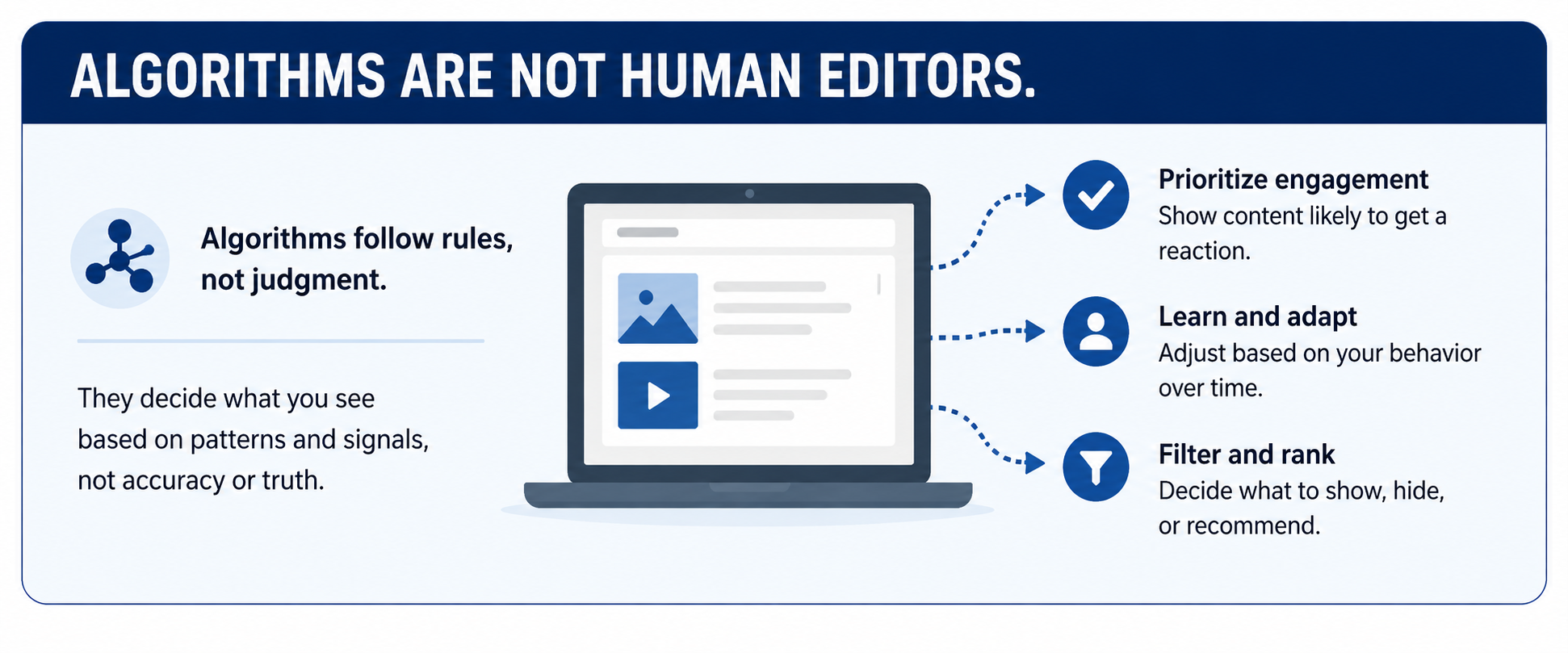
Click to open slide "Algorithms are not human editors”
Click to open slide “The Information Bubble”
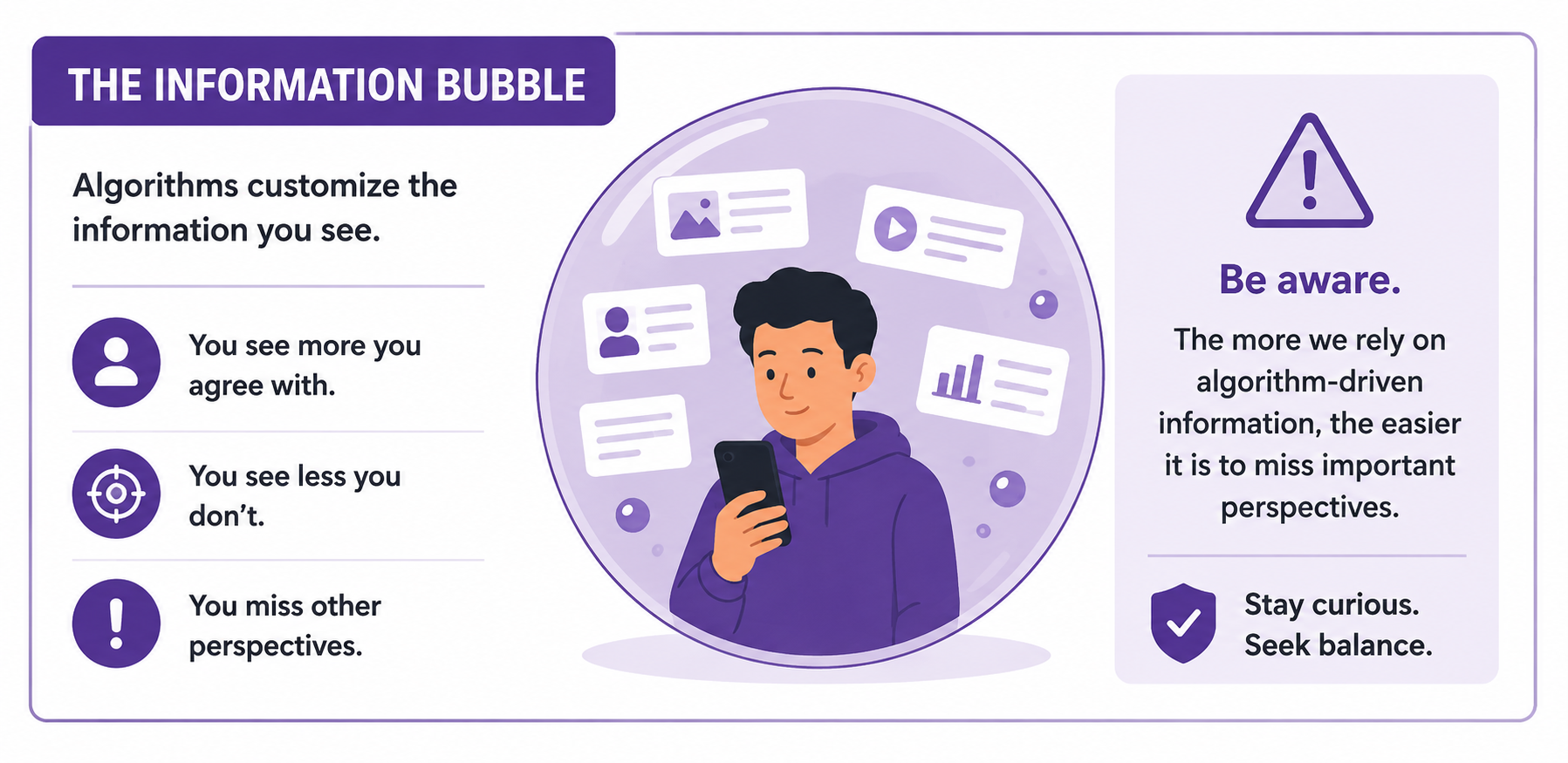
This can create an information bubble where users repeatedly see content that matches their interests, emotions, or beliefs.
Group or Independent Activity: Feed Simulation
(15 minutes)
Open slide titled “Feed Simulation”
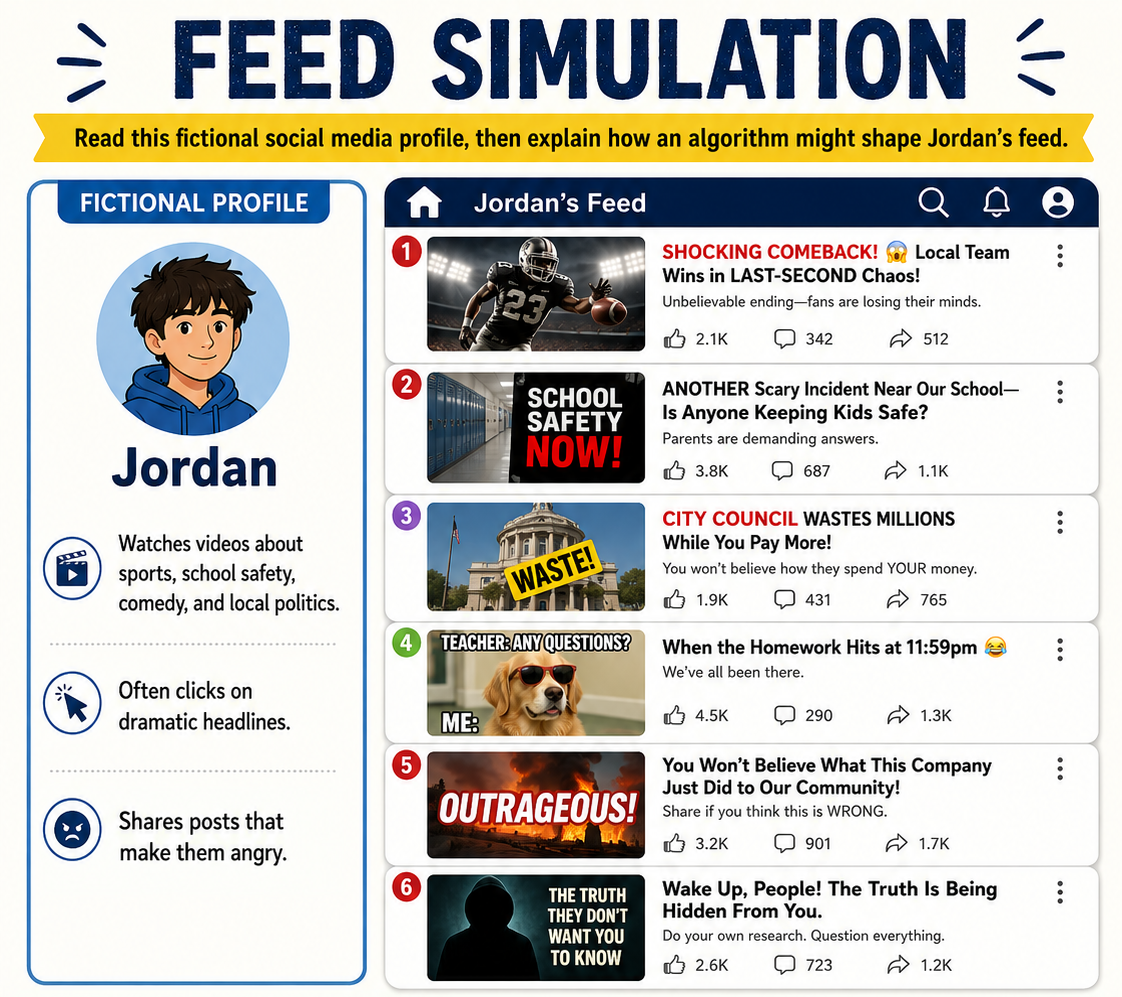
Create a classroom simulation.
Give students a fictional user profile:
Example:
“Jordan watches videos about sports, school safety, comedy, and local politics. Jordan often clicks on dramatic headlines and shares posts that make him angry.”
Students predict:
- What kinds of posts might Jordan see more often?
- What kinds of posts might disappear from Jordan’s feed?
- How could this shape Jordan’s view of the world?
- What habits could help Jordan get a fuller picture?
Post Investigation Discussion
(10 minutes)
Open slide titled “Build Habits that help you get a fuller picture”
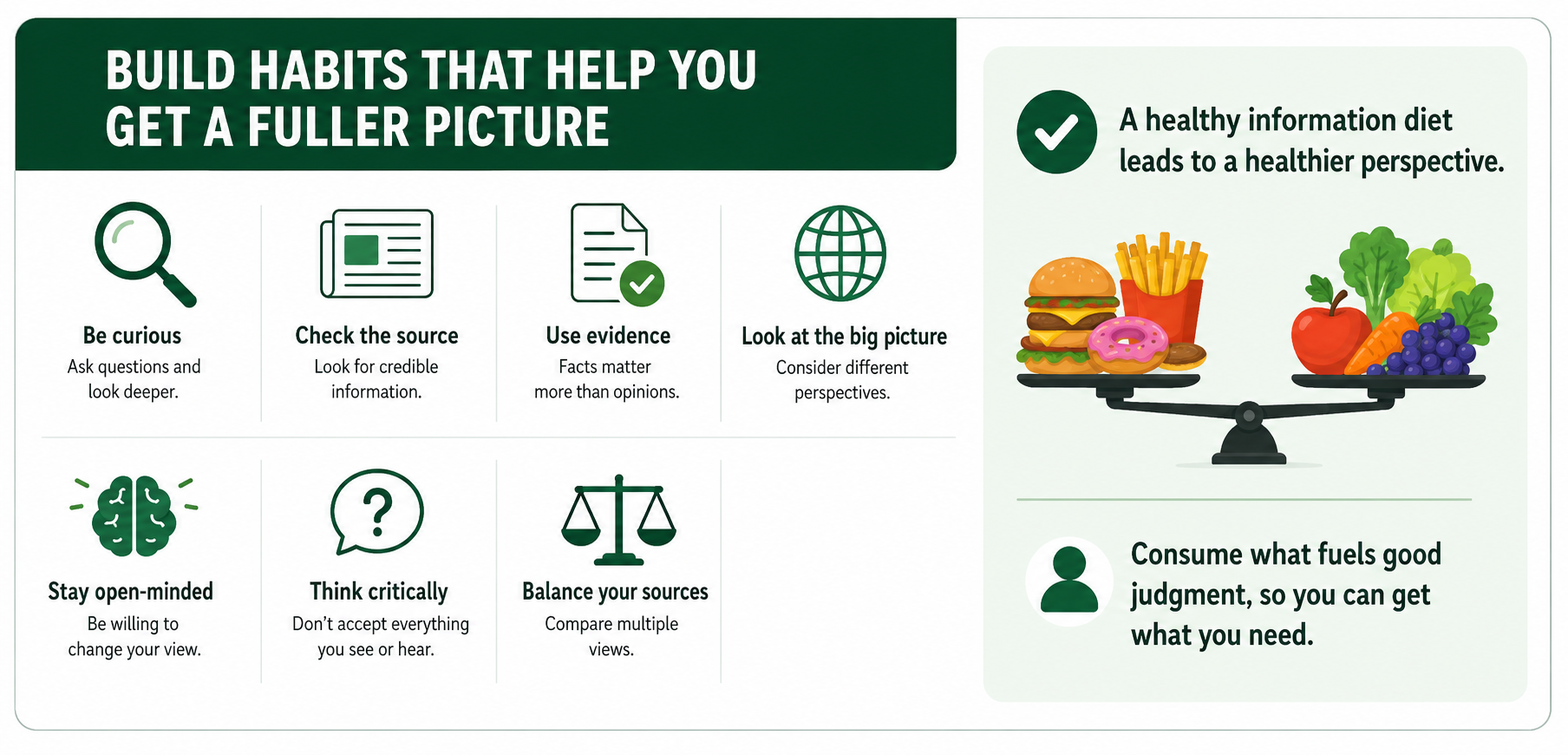
Students develop habits for escaping information bubbles:
- Follow a range of credible sources.
- Read beyond headlines.
- Check original sources.
- Look for local, national, and expert coverage.
- Pause before reacting emotionally.
- Ask what perspective may be missing.
- Seek evidence, not just agreement.
Skill Check: Exit Ticket
(2 minutes)
Students answer:
Algorithms can affect what people believe because __________________________.
Days 6–7: Final Project — Media Literacy Case Study
Project Overview
Open slide titled “Analyze the Media”
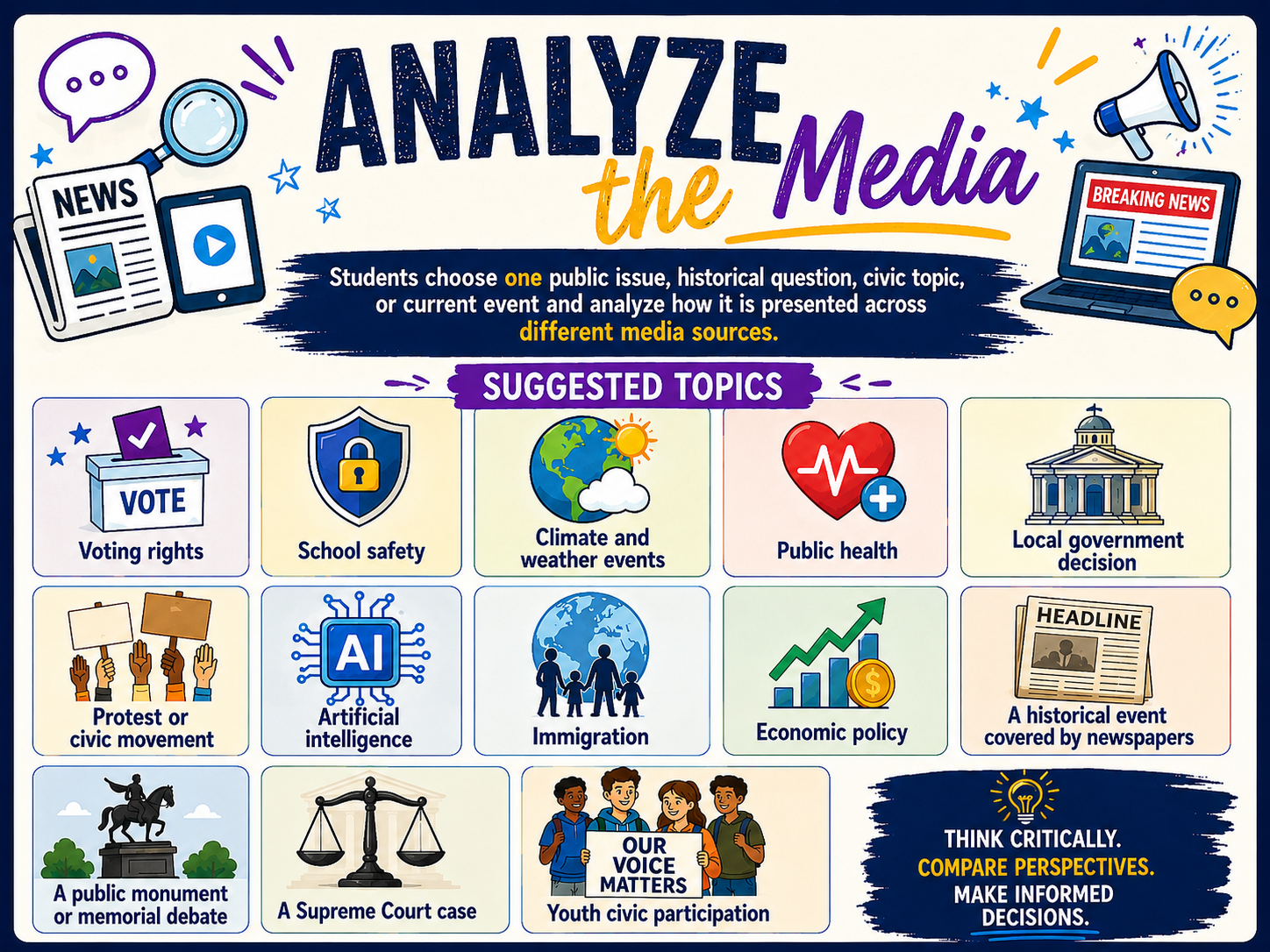
Students choose one public issue, historical question, civic topic, or current event and analyze how it is presented across different media sources.
Suggested topics:
- Voting rights
- School safety
- Climate and weather events
- Public health
- Local government decision
- Protest or civic movement
- Artificial intelligence
- Immigration
- Economic policy
- A historical event covered by newspapers
- A public monument or memorial debate
- A Supreme Court case
- Youth civic participation
Required Sources
Click to slide titled “Required Sources”
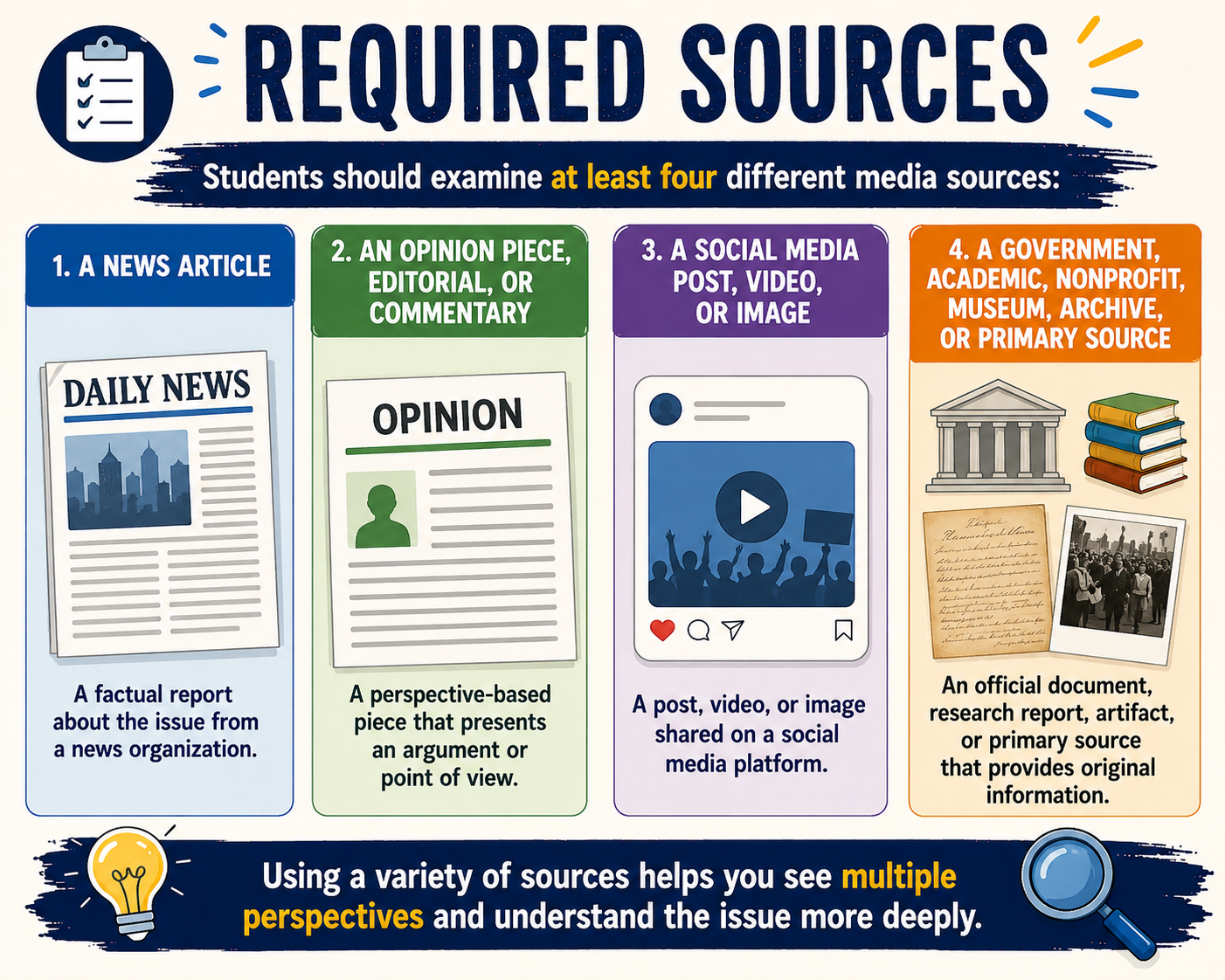
Students should examine at least four different media sources:
- A news article
- An opinion piece, editorial, or commentary
- A social media post, video, or image
- A government, academic, nonprofit, museum, archive, or primary source
Project Questions
Click to slide titled “Project Analysis Questions”
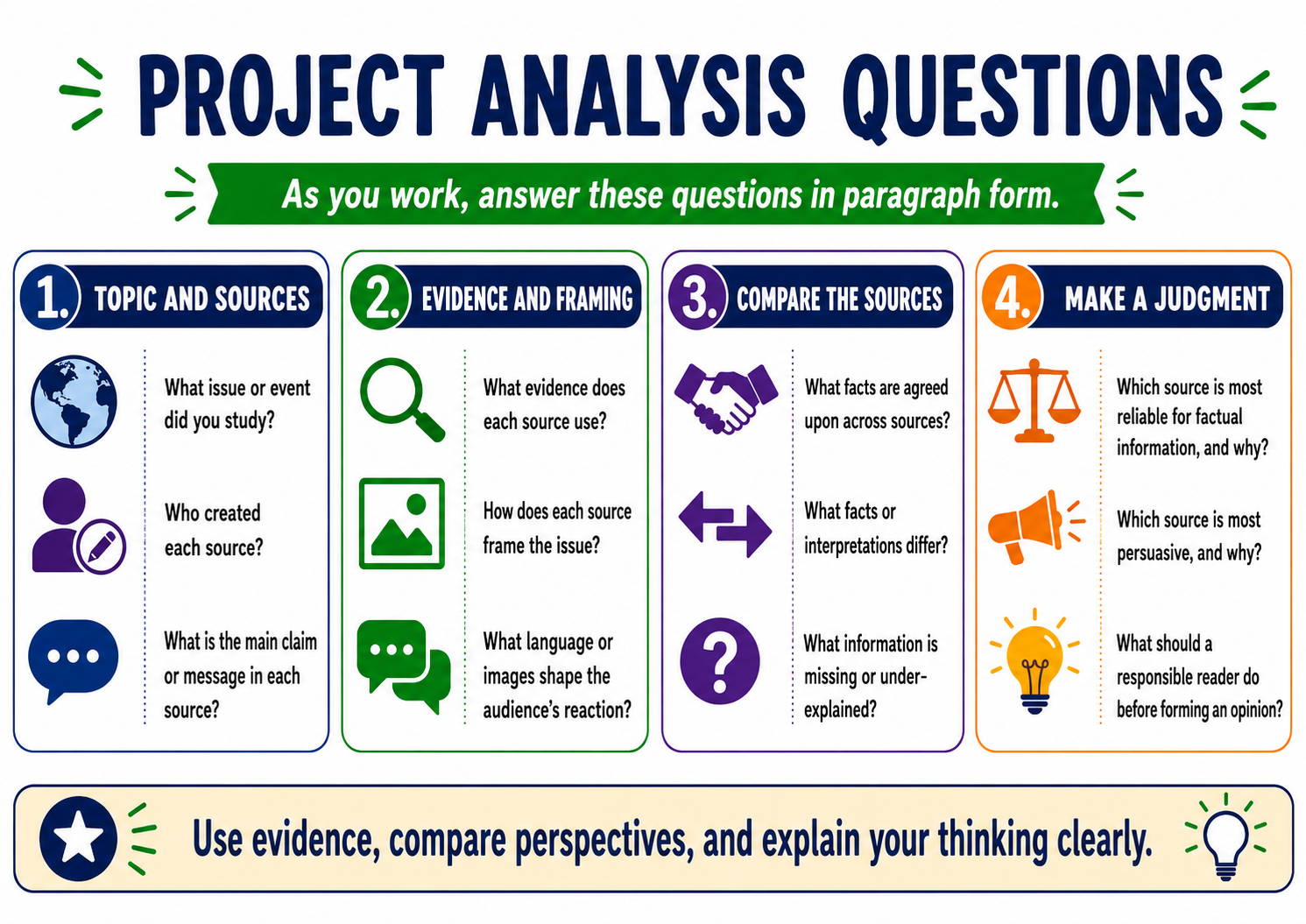
Students answer:
- What issue or event did you study?
- What is the main claim or message in each source?
- Who created each source?
- What evidence does each source use?
- How does each source frame the issue?
- What language or images shape the audience’s reaction?
- What facts are agreed upon across sources?
- What facts or interpretations differ?
- Which source is most reliable for factual information? Why?
- Which source is most persuasive? Why?
- What information is missing or underexplained?
- What should a responsible reader do before forming an opinion?
Final Product Options
Click to slide titled “Students May Create”
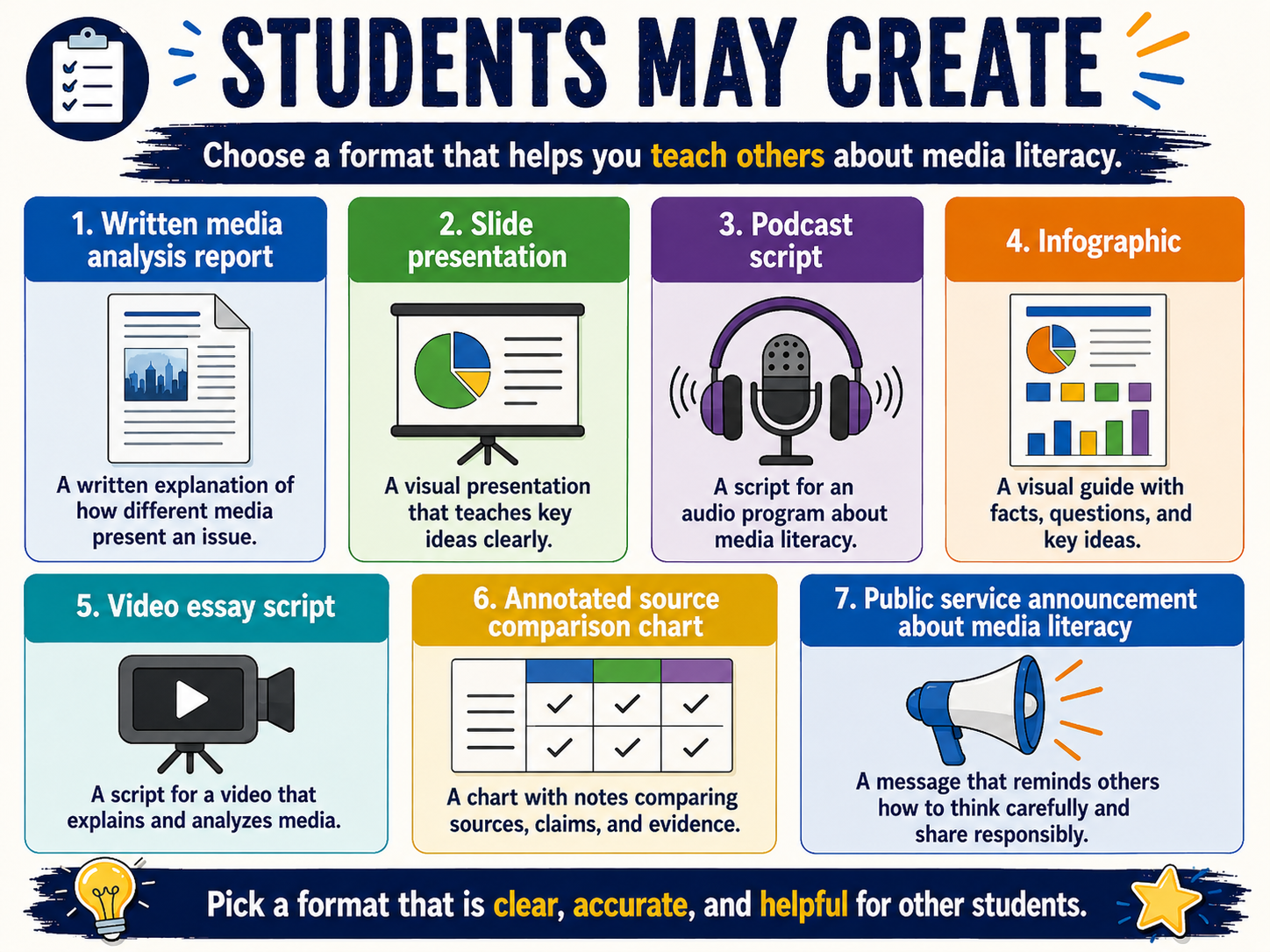
Students may create:
- Written media analysis report
- Slide presentation
- Podcast script
- Infographic
- Video essay script
- Annotated source comparison chart
- Public service announcement about media literacy
Final Project Rubric
Click to slide titled “Final Project Rubric”
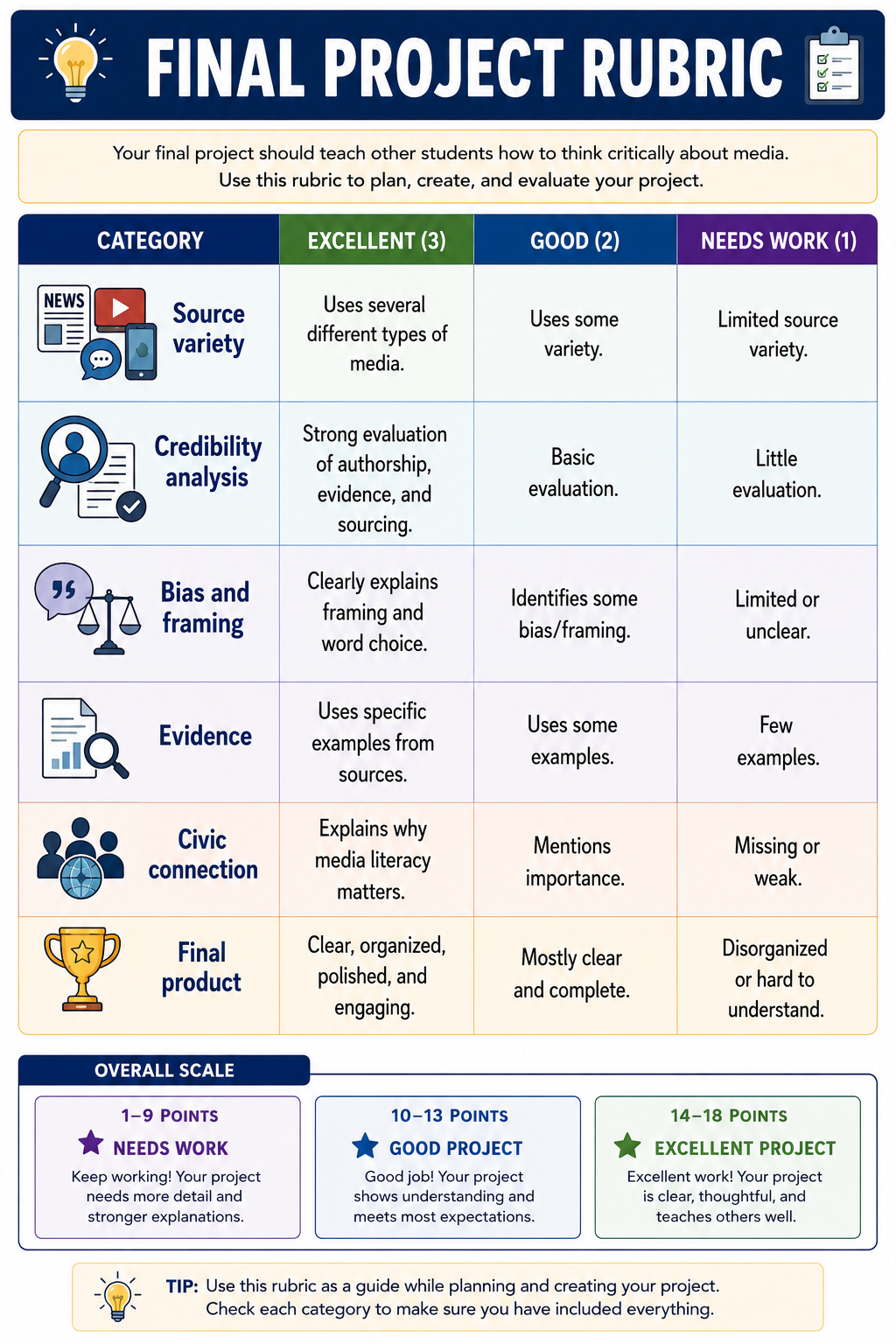
This rubric can be reproduced to help grade student projects. To keep grading simple, a 3-2-1 system was used with the rubric. These numbers can be substituted with amounts that fit your classroom. Below is a grading chart based on the given amounts.
Highest points possible is 18 and lowest is 6.
| Points | Score |
| 18 | 100 |
| 17 | 94 |
| 16 | 89 |
| 15 | 83 |
| 14 | 78 |
| 13 | 72 |
| 12 | 67 |
| 11 | 61 |
| 10 | 56 |
| 9 | 50 |
| 8 | 44 |
| 7 | 39 |
| 6 | 33 |
| 5 | 28 |
| 4 | 22 |
| 3 | 17 |
| 2 | 11 |
| 1 | 6 |
Optional Extension: Historical Media Literacy
This works especially well for history or civics classes.
Have students examine historical newspapers, political cartoons, pamphlets, speeches, broadsides, or photographs. Students ask the same media literacy questions:
- Who created this?
- When was it created?
- Who was the audience?
- What was the creator’s purpose?
- What facts are included?
- What opinions or arguments are included?
- What language or images are used to persuade?
- What voices are missing?
- How might different audiences have responded?
- How does this source help us understand civic life in its time?
This helps students see that media literacy is not only a modern internet skill. People have always needed to evaluate information carefully. The printing press did not come with a fact-check button either.