Lesson Plan
Media Literacy: How Do We Know What to Trust?
Essential Question
How can we become better readers, viewers, and users of information?
Media Literacy Vs. Digital Citizenship
Media literacy and digital citizenship are closely related, but they are not the same skill. Media literacy focuses on how people access, analyze, evaluate, create, and share messages. It teaches students to ask questions about authorship, evidence, bias, purpose, credibility, and missing context before accepting or spreading information. Digital citizenship focuses more broadly on how people behave responsibly, safely, and respectfully in digital spaces. It includes topics such as online privacy, cyberbullying, digital footprints, communication, copyright, and ethical technology use. In simple terms, media literacy helps students decide what information to trust, while digital citizenship helps students decide how to act responsibly online. Both are essential because students are not only consumers of information; they are also participants in digital communities.
This series of lessons focuses on media literacy.
Lesson Overview
Students will learn that media literacy is the ability to access, analyze, evaluate, create, and responsibly share information. They will examine different types of media, learn how to identify credible sources, recognize bias and point of view, and create a short media literacy guide for other students.
Some activities are designed with flexibility so they can be used as either individual or group assignments, depending on the needs and abilities of the students. Many of the skills introduced throughout the module will be practiced collaboratively, with individual understanding assessed through exit tickets and the final media literacy project.
Grade Level: Middle School
Length: 3–5 class periods
Standards:
L6-8RHSS5: Describe how a text presents information (e.g., sequentially, comparatively, causally).
L6-8RHSS6: Identify aspects of a text that reveal an author’s point of view or purpose (e.g., loaded language, inclusion or avoidance of particular facts).
L6-8RHSS8: Distinguish among fact, opinion, and reasoned judgment in a text.
L6-8RHSS9: Analyze the relationship between a primary and secondary source on the same topic.
Learning Objectives
Students will be able to:
- Define media literacy in their own words.
- Identify different types of media, including news articles, websites, videos, social media posts, advertisements, and images.
- Explain how authors, content creators, and publishers shape messages.
- Evaluate whether a source is reliable by looking at evidence, authorship, purpose, and accuracy.
- Recognize basic signs of bias, opinion, misinformation, and persuasive techniques.
- Create a media literacy resource that teaches others how to think carefully about information.
Google Presentations
Throughout this guide, there are links to Google Slides that relate to the individual sections. The backgrounds for these slides have been kept white to help reduce distractions. Teachers can make copies of the slideshows and edit them to meet the needs of their classrooms.
Teaching notes have been included in the presentation to aid in the delivery of that content.
Key Vocabulary
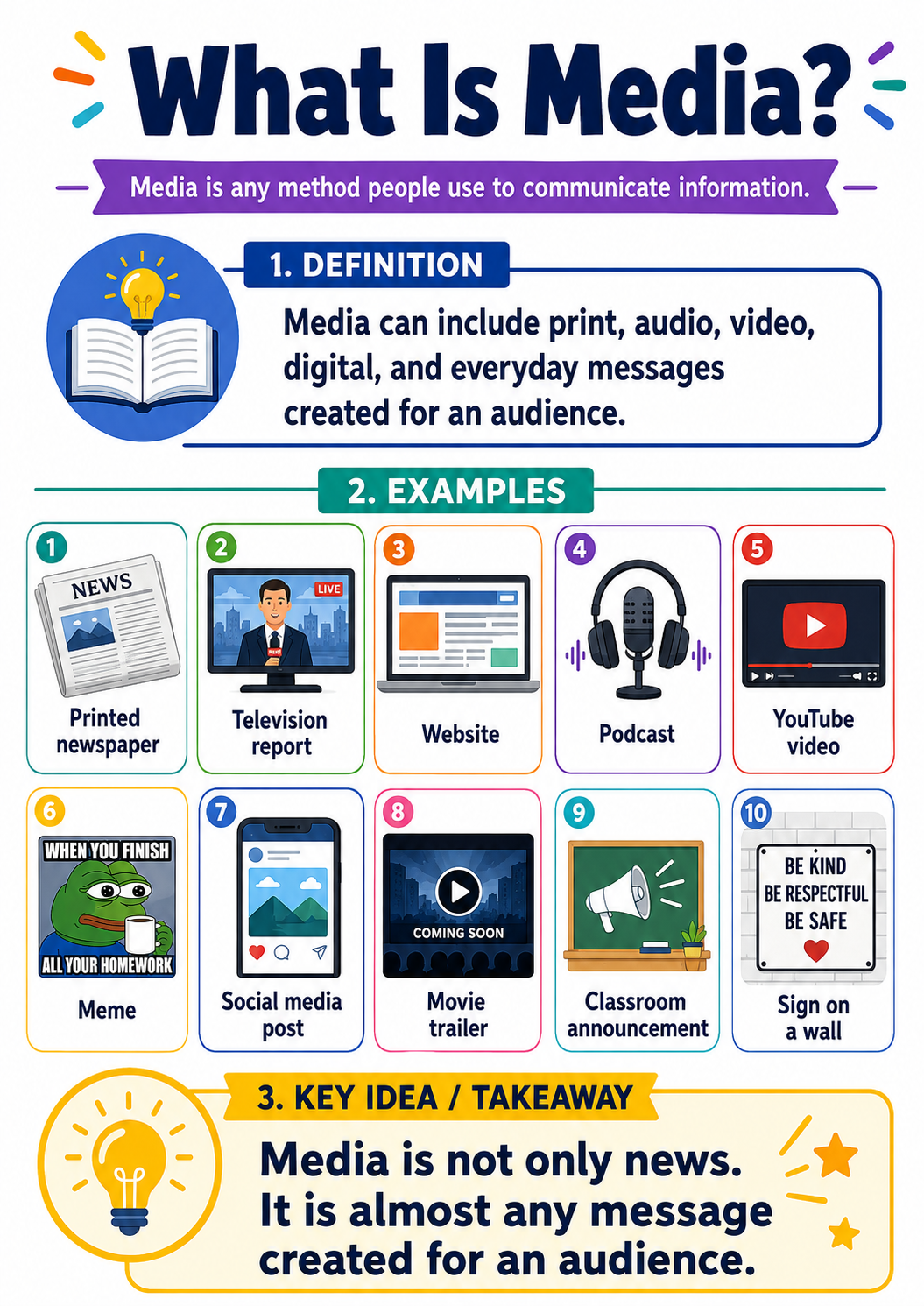
Media: Any method used to communicate information, including print, video, audio, websites, and social media.
Media Literacy: The ability to understand, evaluate, create, and responsibly share media messages.
Source: Where information comes from.
Credibility: The quality of being trustworthy or believable.
Bias: A preference or point of view that may influence how information is presented.
Fact: A statement that can be proven true or false.
Opinion: A personal belief, judgment, or interpretation.
Misinformation: False or incorrect information, whether shared on purpose or by mistake.
Disinformation: False information shared on purpose to mislead people.
Primary Source: A source created during the time being studied or by someone directly involved.
Secondary Source: A source created later that explains or interprets information from other sources.
Introduction / Hook: Discussion
(5 minutes)

Show slide titled “What is Media?”
Ask students:
Where do you get most of your information about what is happening in the world?
Students may answer: family, teachers, YouTube, TikTok, Instagram, news websites, television, podcasts, friends, or search engines.
Then ask:
How do you know whether that information is true?
Direct Instruction
(15 minutes)

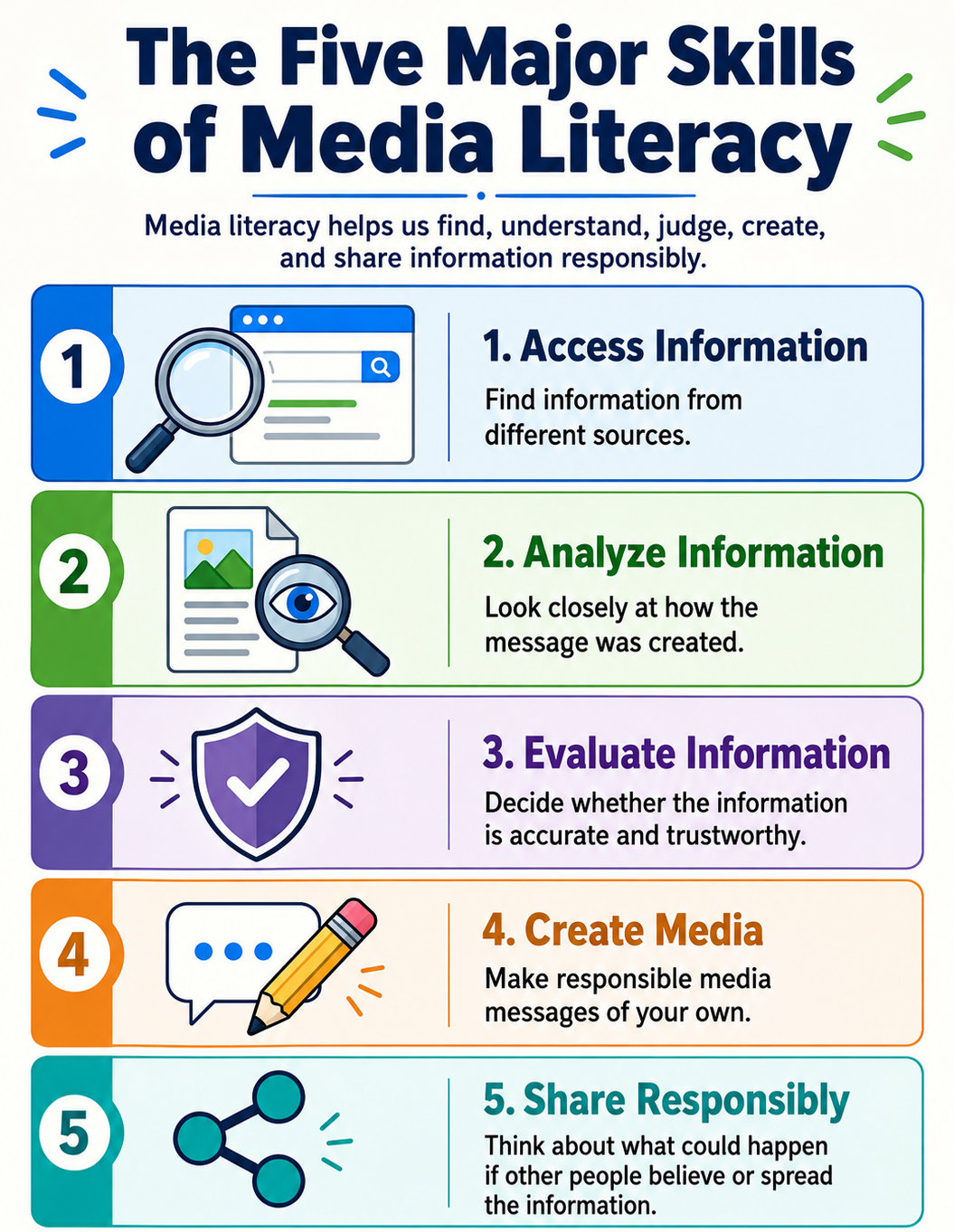
Show slide titled “The Five Major Skills of Media Literacy"
Explain:
Media literacy is not just about “spotting fake news.” It is a critical thinking skill. It helps people ask better questions before they believe, use, or share information.
Media literacy includes five major skills:
- Access information
Finding information from different sources. - Analyze information
Looking closely at how a message is created. - Evaluate information
Deciding whether information is accurate, fair, and useful. - Create media
Making responsible media messages of your own. - Share Responsibly
Thinking about the possible effects before passing information to others.
Group or Individual Practice: Media Around Us
(15 minutes)

This assignment can be assigned individually or as a group, whichever works best for your class and students.
Have students list all the types of media they see in one day. Examples may include:
- Text messages
- Memes
- YouTube videos
- News headlines
- Advertisements
- Video games
- School announcements
- Social media posts
- Movie trailers
- Podcasts
- Signs and posters
Then, students select three media sources and answer the following questions:
- What is the source’s main purpose?
- Is it trying to inform you?
- Is it trying to persuade you?
- Is it trying to sell you something?
- Is it trying to teach you something?
- Is it trying to influence the way you feel?
Skill Review: Exit Ticket
(2 minutes)
Students complete:
Media literacy matters because __________________________.
Introduction / Hook
(5 minutes)
Display or read several short statements: (Presented in the Google Slideshow in section titled “Fact or Opinion”)
- “The school board met on Tuesday.” (Fact)
- “The school board made a terrible decision.” (Opinion)
- “The new park opened in 2024.” (Fact)
- “The new park is the best thing our town has ever built.” (Opinion)
Students label each statement as fact or opinion.
Direct Instruction
(15 minutes)
Open slide titled “Every Media Message has a Purpose”
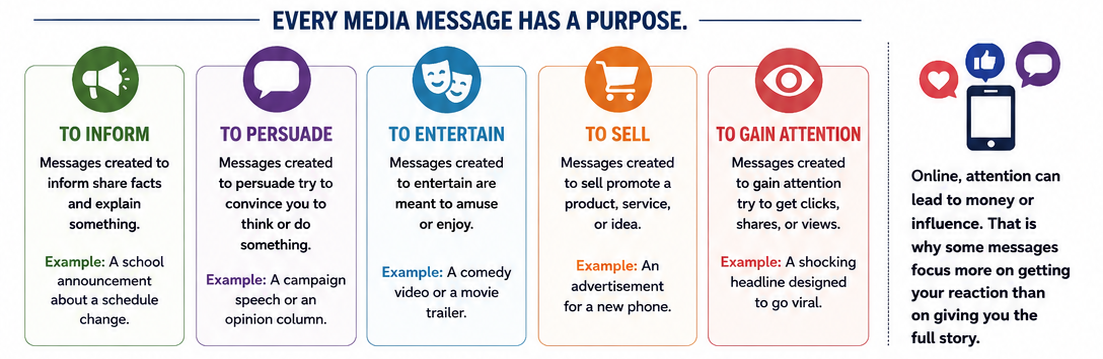
Explain that every media message has a purpose. Common purposes include:
- To inform
- To persuade
- To entertain
- To sell something
- To gain attention
- To influence beliefs or actions
Students should ask:
- Who created the message?
- Why was it created?
- What facts are included?
- What opinions are included?
- What information might be missing?
- Who might agree or disagree with this message?
Guided Practice: Headline Detective (Handout)
(15 minutes)
Open slide titled “Bias can shape how a message is presented”
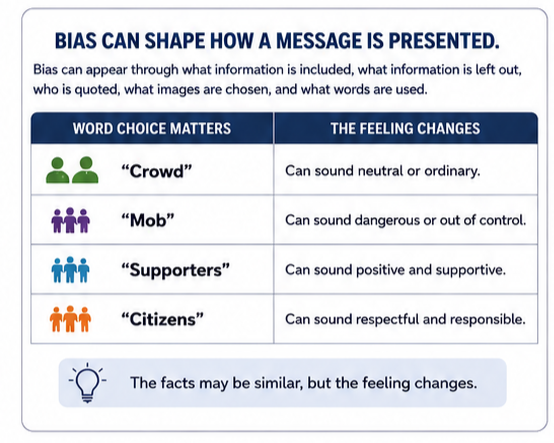
Give students several sample headlines about the same fictional event.
Open Slide Titled “Practice: Headline Detective”
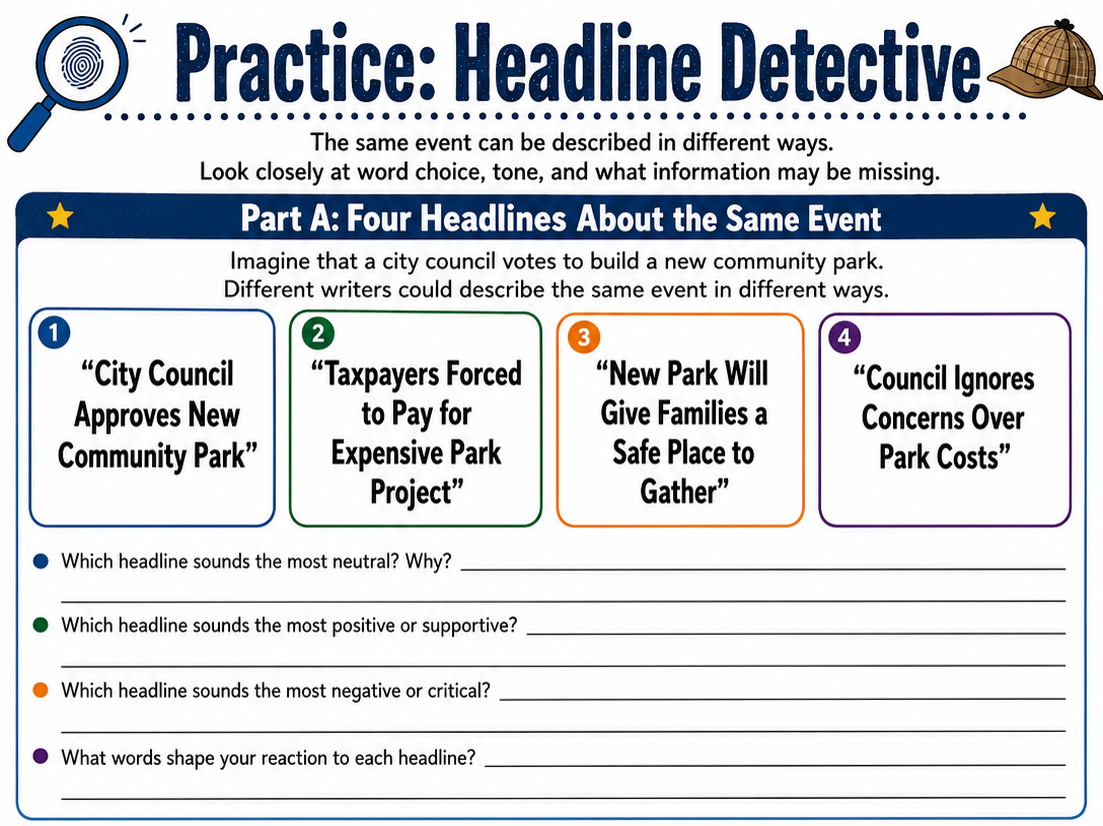
Example event:
A city council votes to build a new community park.
Sample headlines:
- “City Council Approves New Community Park”
- “Taxpayers Forced to Pay for Expensive Park Project”
- “New Park Will Give Families a Safe Place to Gather”
- “Council Ignores Concerns Over Park Costs”
Students answer:
- Which headline sounds most neutral?
- Which headline sounds positive?
- Which headline sounds negative?
- What words create that feeling?
- What questions would you ask before forming an opinion?
Follow-up Questions to dig a little deeper:
- Why might a headline sound neutral?
- Why might you want to use a negative headline?
Skill Review: Exit Ticket
(2 minutes)
Students answer:
One way word choice can shape a message is ___________________.
Introduction / Hook
(5 minutes)
Open Slide titled “Part 3: Is this Source Reliable?”
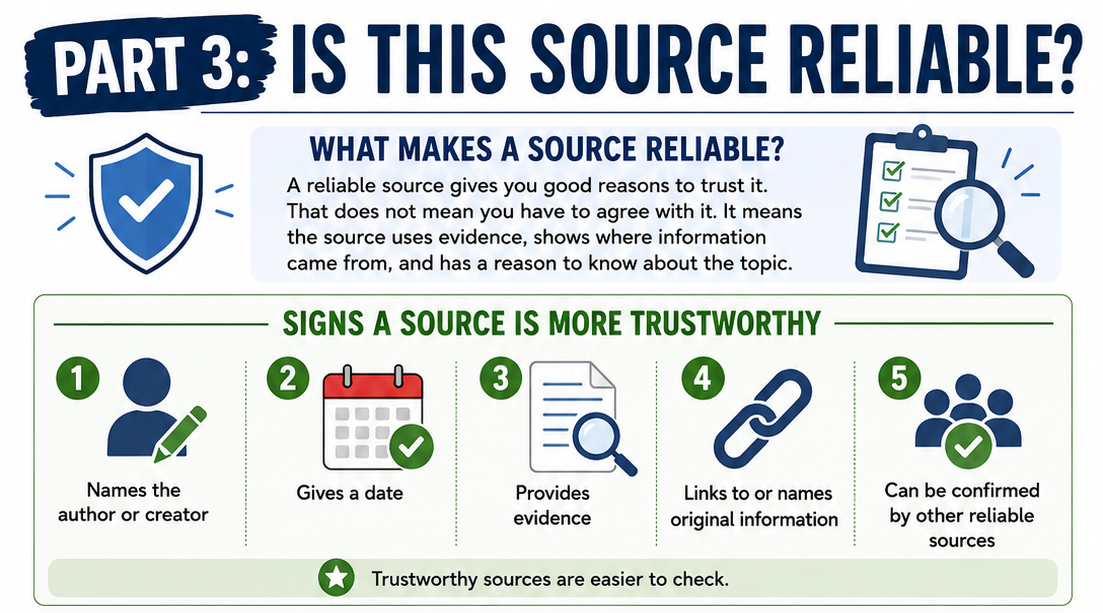
Ask:
What makes a person trustworthy? What makes a source trustworthy?
Create a class list. Students may say honesty, knowledge, experience, evidence, fairness, or accuracy.
Direct Instruction: The Source Check
(15 minutes)
Open slide titled “The SIFT Method”
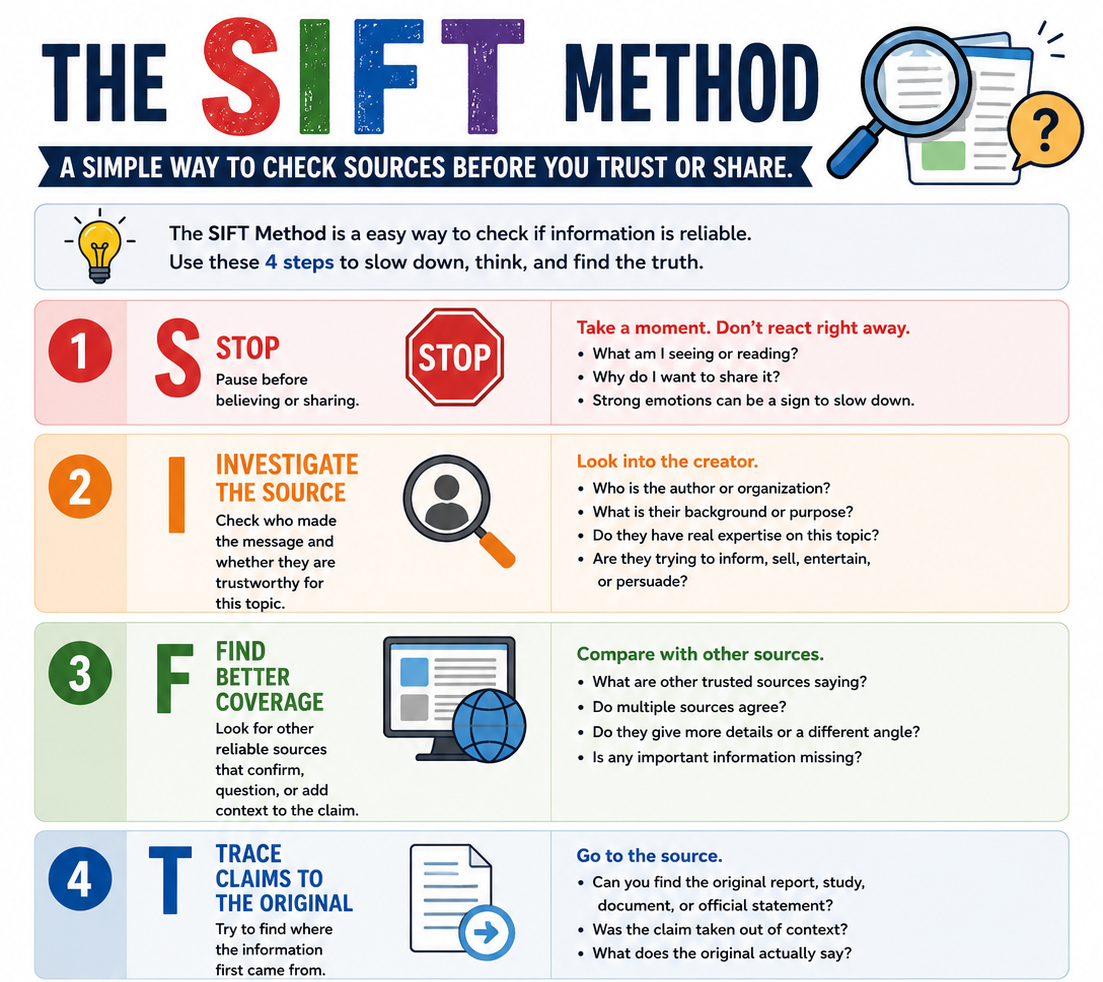
Teach students to use a simple source-checking method:
The SIFT Method for Students
S — Stop
Pause before believing or sharing.
I — Investigate the source
Who made this? Are they trustworthy?
F — Find better coverage
Can other reliable sources confirm it?
T — Trace claims to the original
Where did the information first come from?
Middle school translation: Stop. Check who made it. Compare it. Find the original.
Guided Practice: Source Reliability Scorecard
(15 minutes)
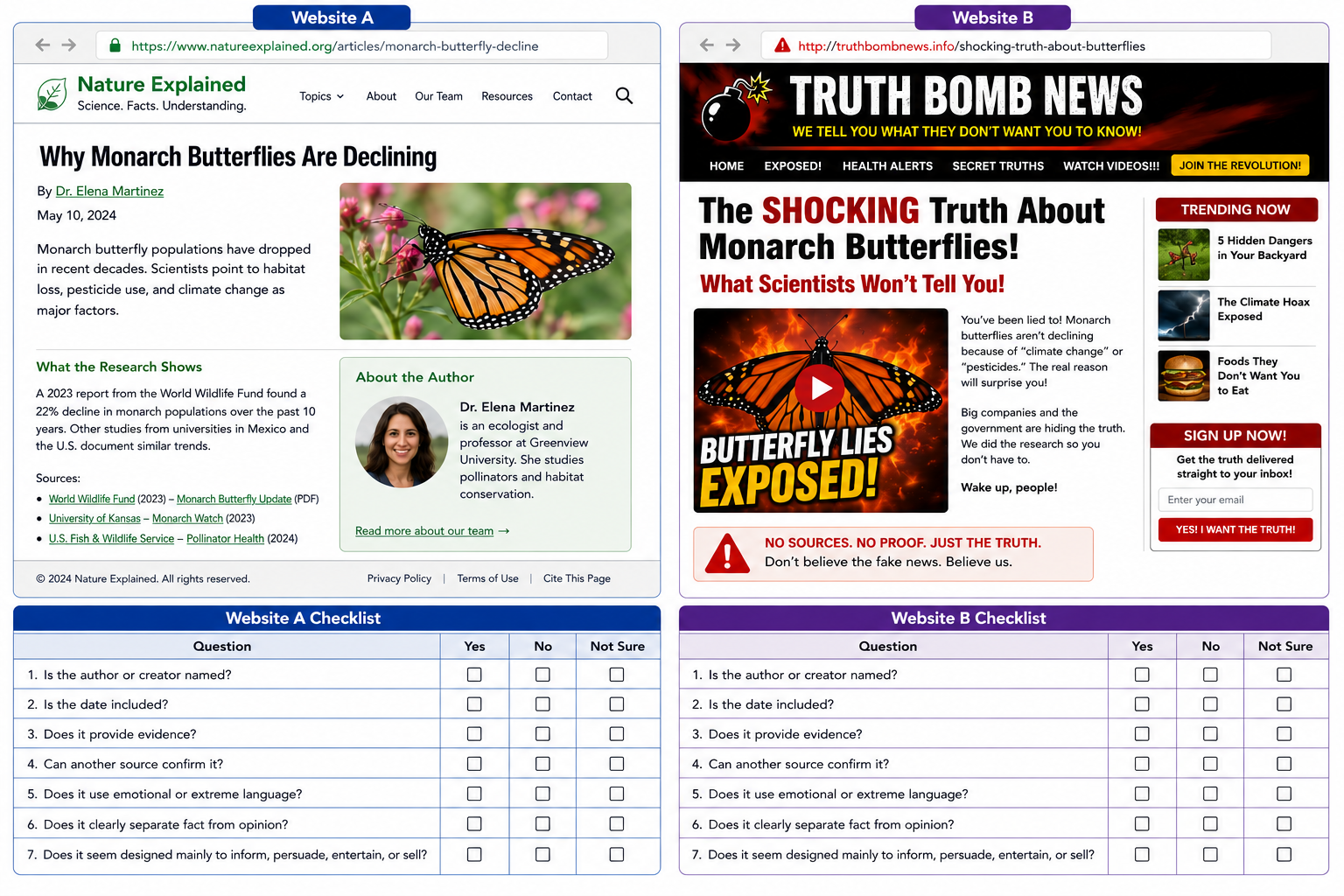
Using the two example sites, have students complete the “Reliability Scorecard” to evaluate the sites.
Open the slide with two websites in it for students to evaluate; Have students used the PDF answer sheet linked below to evaluate the sites.
Skill Review: Exit Ticket
(15 minutes)
Skill Review: Exit Ticket (2 minutes)
Students answer:
Before I trust a source, I should check __________________________.
Open slide titled “Part 4: Images, Memes, and Social Media”
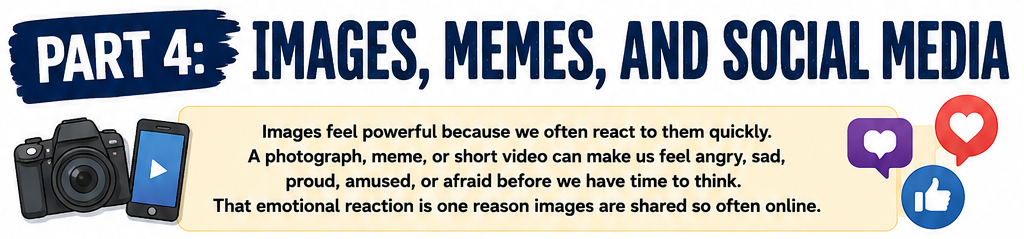
Introduction / Hook
(5 minutes)
Ask students:
Can a picture tell the truth and still be misleading?
Discuss how cropping, captions, filters, timing, and missing context can change how an image is understood.
Open slide titled” A picture can be real and still be misleading”
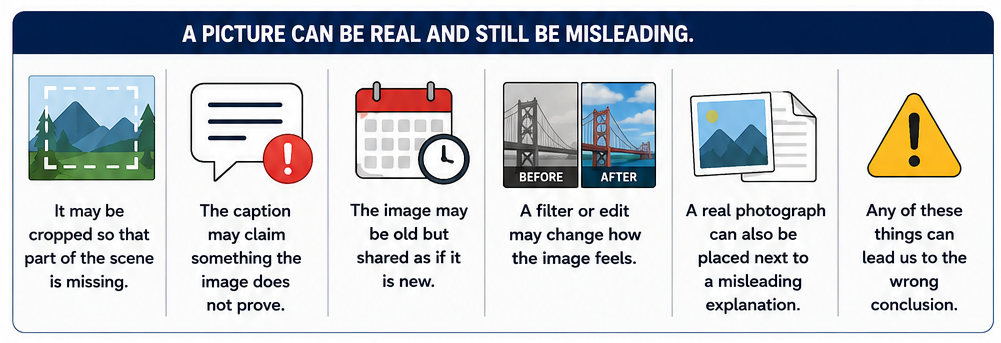
Direct Instruction
(15 minutes)
Explain that images are powerful because they can create an emotional reaction quickly. But images do not always tell the full story.
Students should ask:
- Who created or posted this image?
- When and where was it taken?
- Has it been cropped or edited?
- What does the caption claim?
- Does the image prove the claim?
- What context is missing?
Open slide titled “What about memes?”
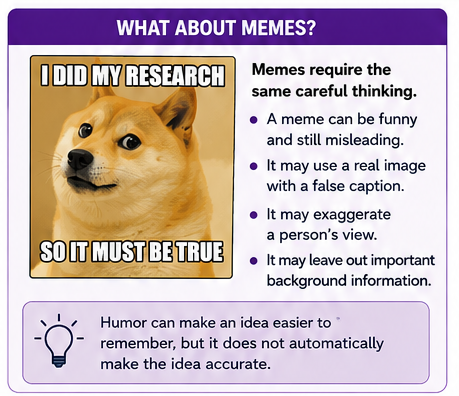
Guided Practice: Caption Changes Meaning
(15 minutes)
Show students one neutral image or describe one. For example:
A photograph shows a large group of people standing outside a government building.
Open slide titled: “Activity: Same image different caption”
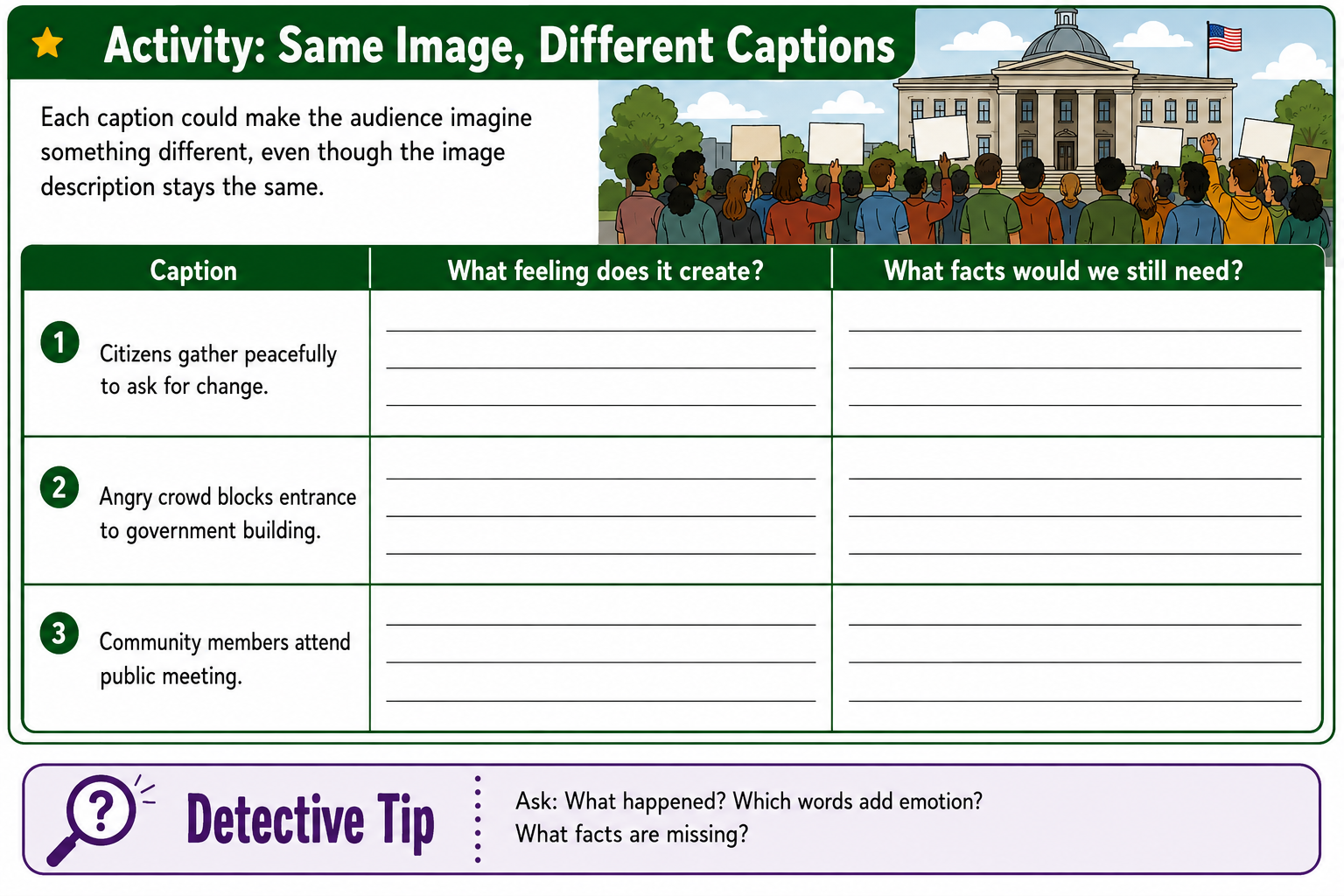
Give three different captions:
- “Citizens gather peacefully to ask for change.”
- “Angry crowd blocks entrance to government building.”
- “Community members attend public meeting.”
Students discuss:
- How did each caption change the meaning?
- What facts do we actually know from the image?
- What would we need to know before drawing a conclusion?
Skill Review: Exit Ticket
(2 minutes)
Students answer:
A picture can be misleading when __________________________.
Part 5: Final Project — Create a Student Media Literacy Guide
(40 minutes total)
Open slide titled: “Final Project - Create a Student Media Literacy Guide”
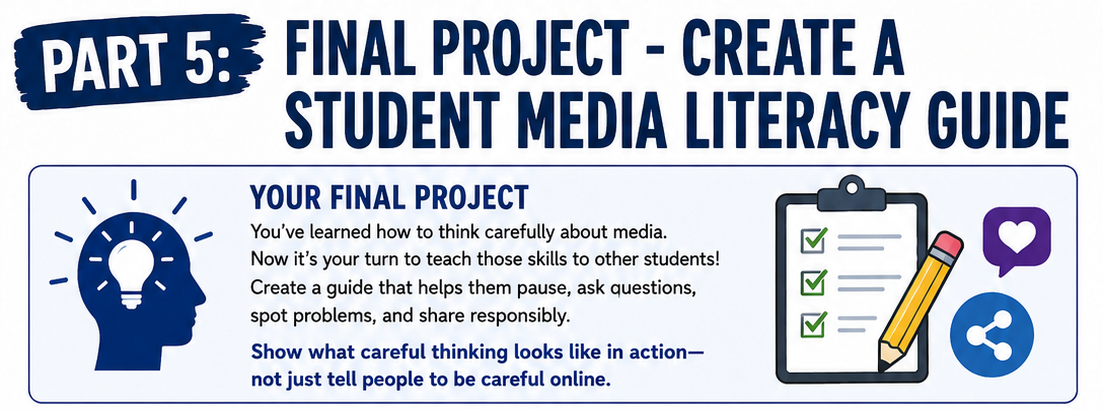
Project Options
Open slide titled: “Choose a format”
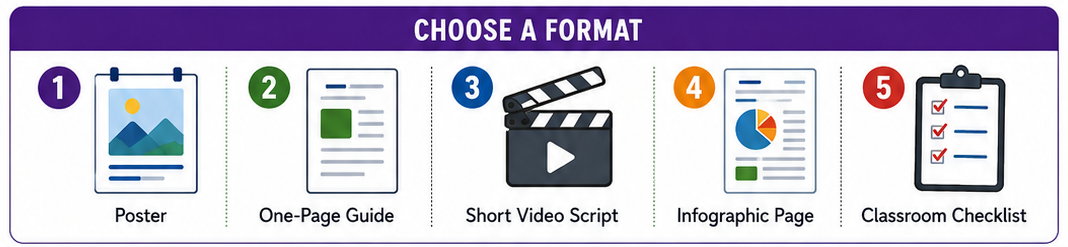
Students create one of the following:
- Poster: “Five Questions to Ask Before You Trust a Source”
- One-page guide: “How to Be Media Literate”
- Short video script: “Don’t Share Until You Check”
- Infographic: “Fact, Opinion, Bias, and Evidence”
- Classroom checklist: “How to Evaluate Online Information”
Required Elements
Open slide titled “Final Project Required Elements”
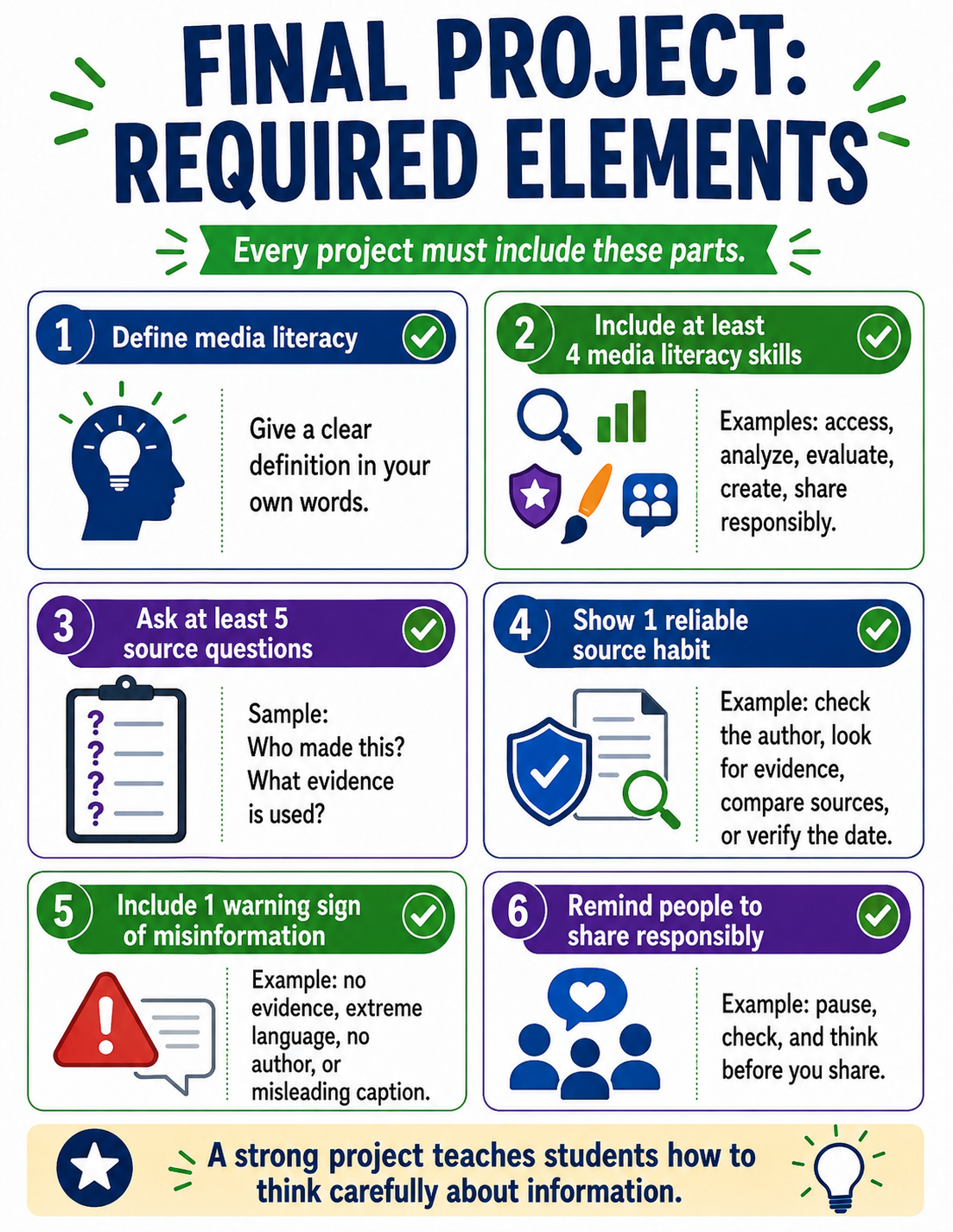
Each project must include:
- A definition of media literacy
- At least four media literacy skills
- At least five questions students should ask about a source
- One example of a reliable source habit
- One warning sign of misinformation
- A reminder to share information responsibly
Open Slide titled “Sample Student Checklist”
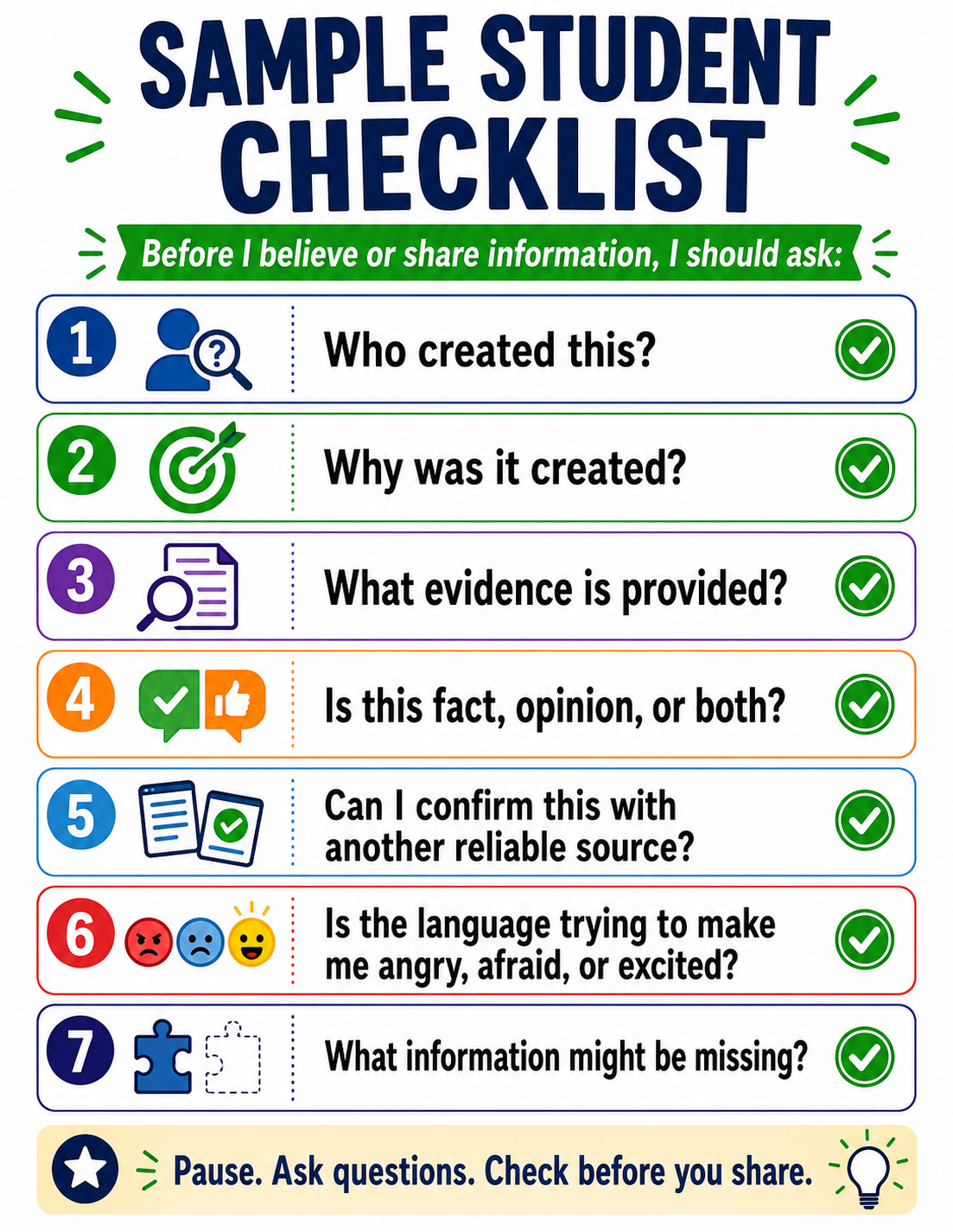
Sample Student Checklist
Before I believe or share information, I should ask:
- Who created this?
- Why was it created?
- What evidence is provided?
- Is this fact, opinion, or both?
- Can I confirm this with another reliable source?
- Is the language trying to make me angry, afraid, or excited?
- What information might be missing?
Open slide titled “Student Media Literacy Guide Project Rubric”
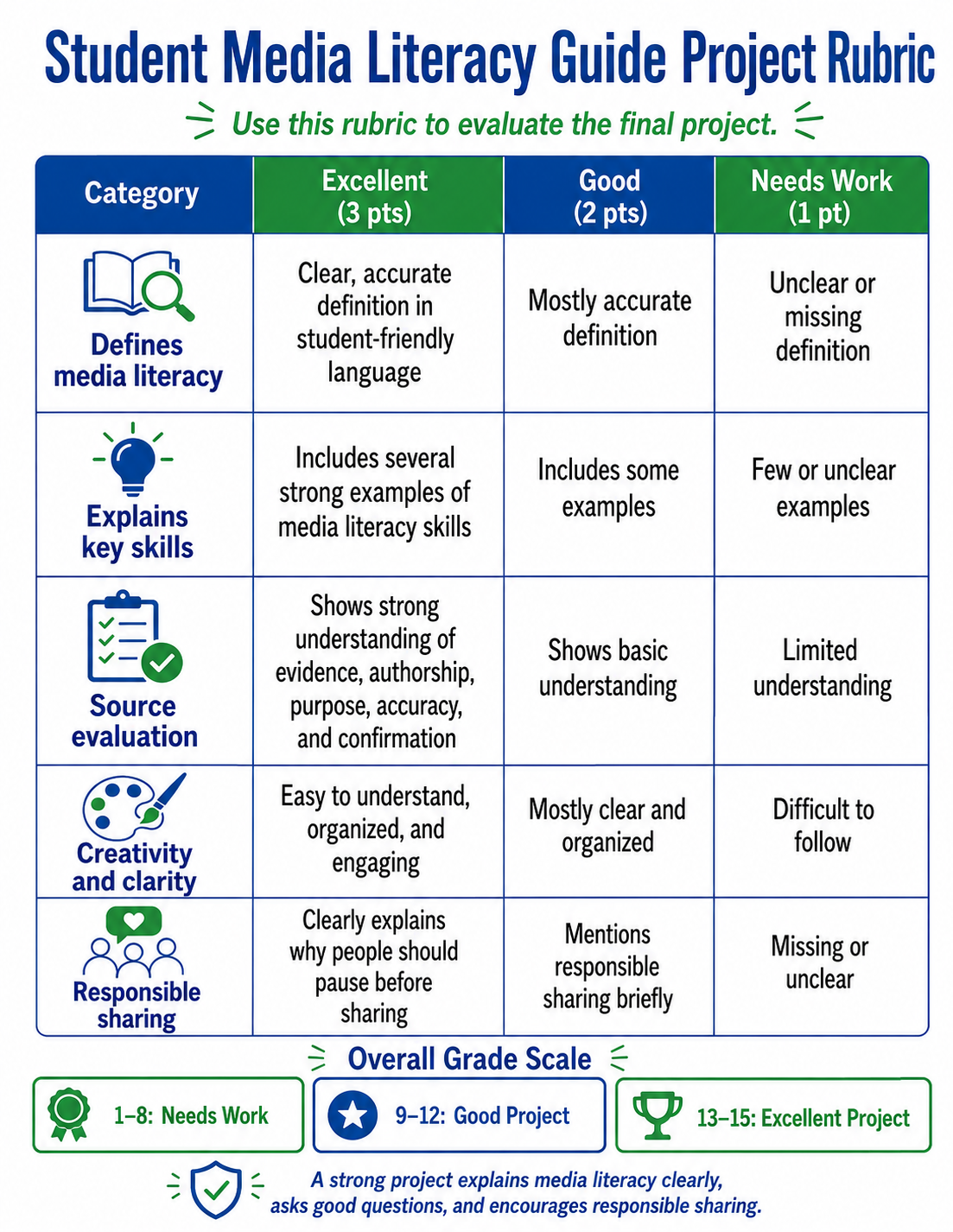
Assessment Rubric
This rubric can be reproduced to help with grade student projects. To keep grading simple, a 3-2-1 system was used with the rubric. These numbers can be substituted with amounts that fit your classroom. Below is a grading chart based on the given amounts.
Teacher version of rubric for grading.
Highest points possible are 15 and lowest is 5.
| Points | Score |
| 15 | 100 |
| 14 | 93 |
| 13 | 87 |
| 12 | 80 |
| 11 | 73 |
| 10 | 67 |
| 9 | 60 |
| 8 | 53 |
| 7 | 47 |
| 6 | 40 |
| 5 | 33 |
| 4 | 27 |
| 3 | 20 |
| 2 | 13 |
| 1 | 7 |